15. SETTING THE DAYLIGHT SAVING TIME
24
23
1
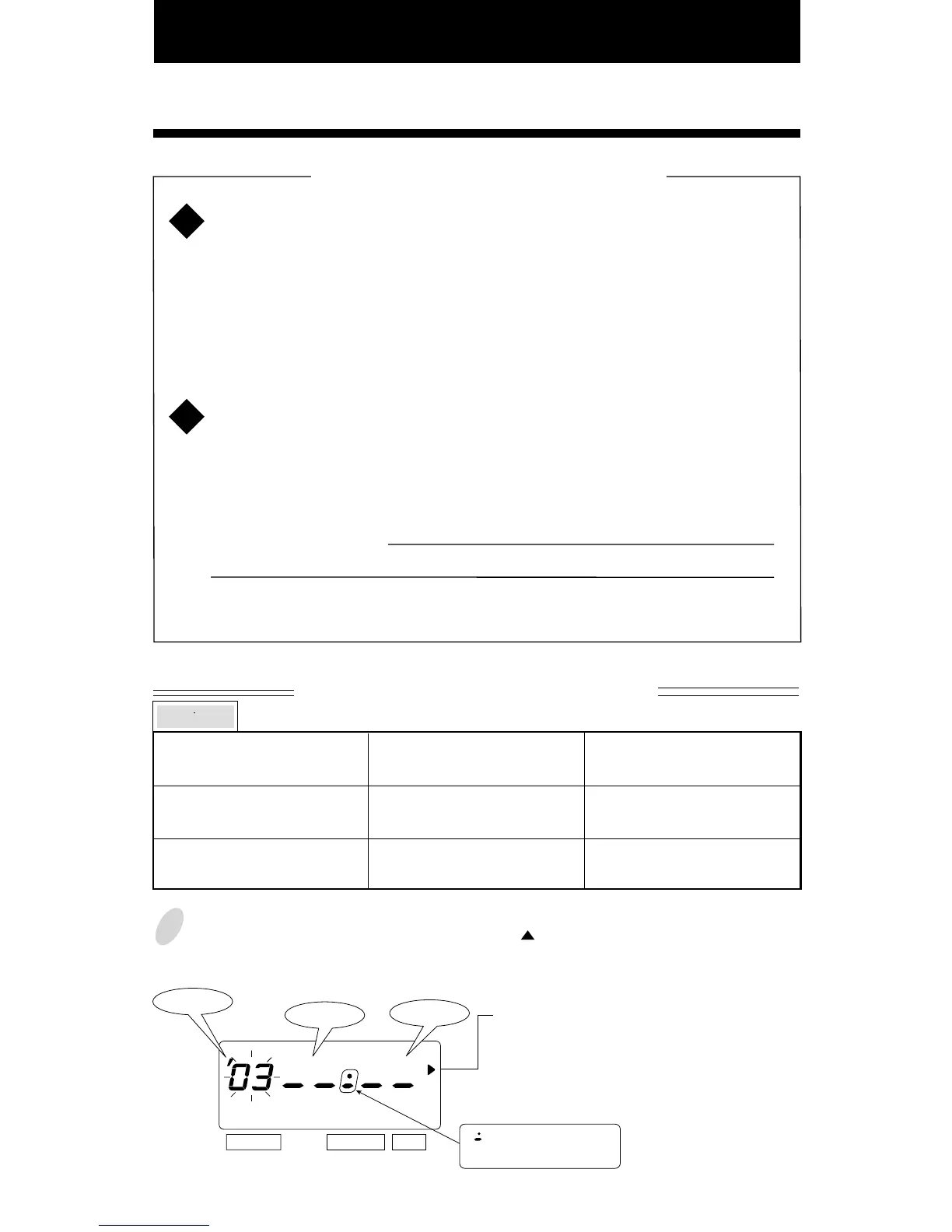
Press the [SELECT] button and position the " " next to the "DAYLIGHT SAVING
TIME" mark. (The flashing means it can be changed.)
SELECT CHANGE SET
Year
Month
Date
Daylight Saving Time function
D.S.T. execution time
At 2:00 a.m. on the first day of DST, the clock automatically gains
one hour to show 3:00 a.m.
When 3:00 a.m. comes on the last day of the DST, it loses one hour
and returns to 2:00 a.m.
Setting D.S.T.
Example:
Start date Sunday, April 6, 2003
End date Sunday, October 26, 2003
If set as the above, the unit remembers the start date as the first
Sunday of April and the end date as the last Sunday of October.
Once set, the unit automatically updates the settings every year
thereafter. No further manual setting is necessary.
1
2
The setting for daylight saving time will be
described using the following example.
Today (present day)
Starting date of daylight
saving time
Ending date of daylight
saving time
Wednesday, January 29, 2003
Sunday, April 6, 2003
Sunday, October 26, 2003
The first Sunday of April
The last Sunday of October
Example
DAYLIGHT SAVING TIME
" " mark means
"starting date" setting



 To Next Page