54
53
1
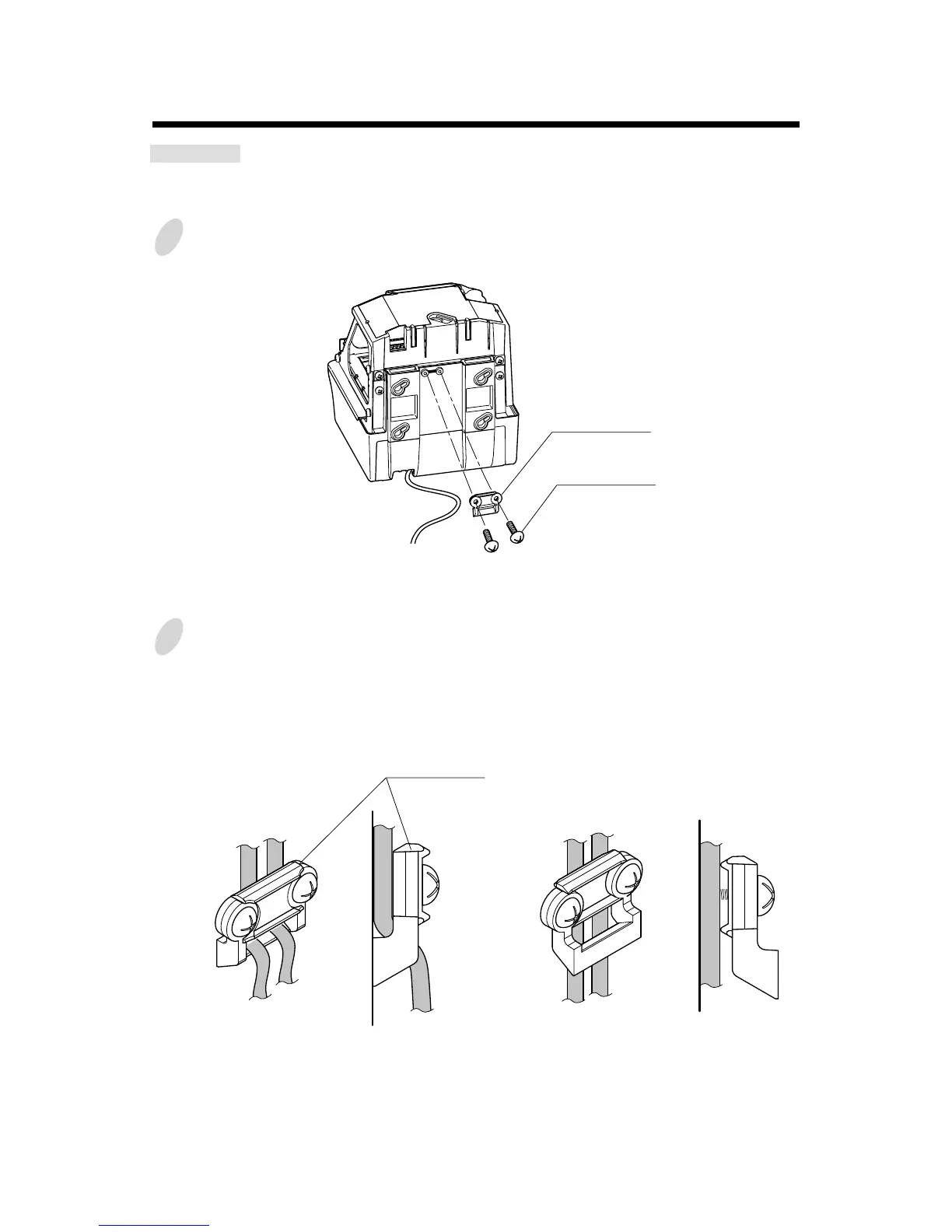
Remove two screws holding the wire clamp.
2
Make wires go through the hole of the wire clamp and secure it with screws. (See the
Figure 1.)
If diameter of wires is too small to fix by the above method, turn the wire clamp upside
down and feed wires through the clamp. Then secure it with screws. (See the Figure 2.)
Attaching the Wire Clamp
CAUTION: Be sure to pull out AC cord from AC outlet before attaching the wire
clamp.
Two screws
Wire clamp
Wire clamp
Figure 2 Figure1



 To Next Page