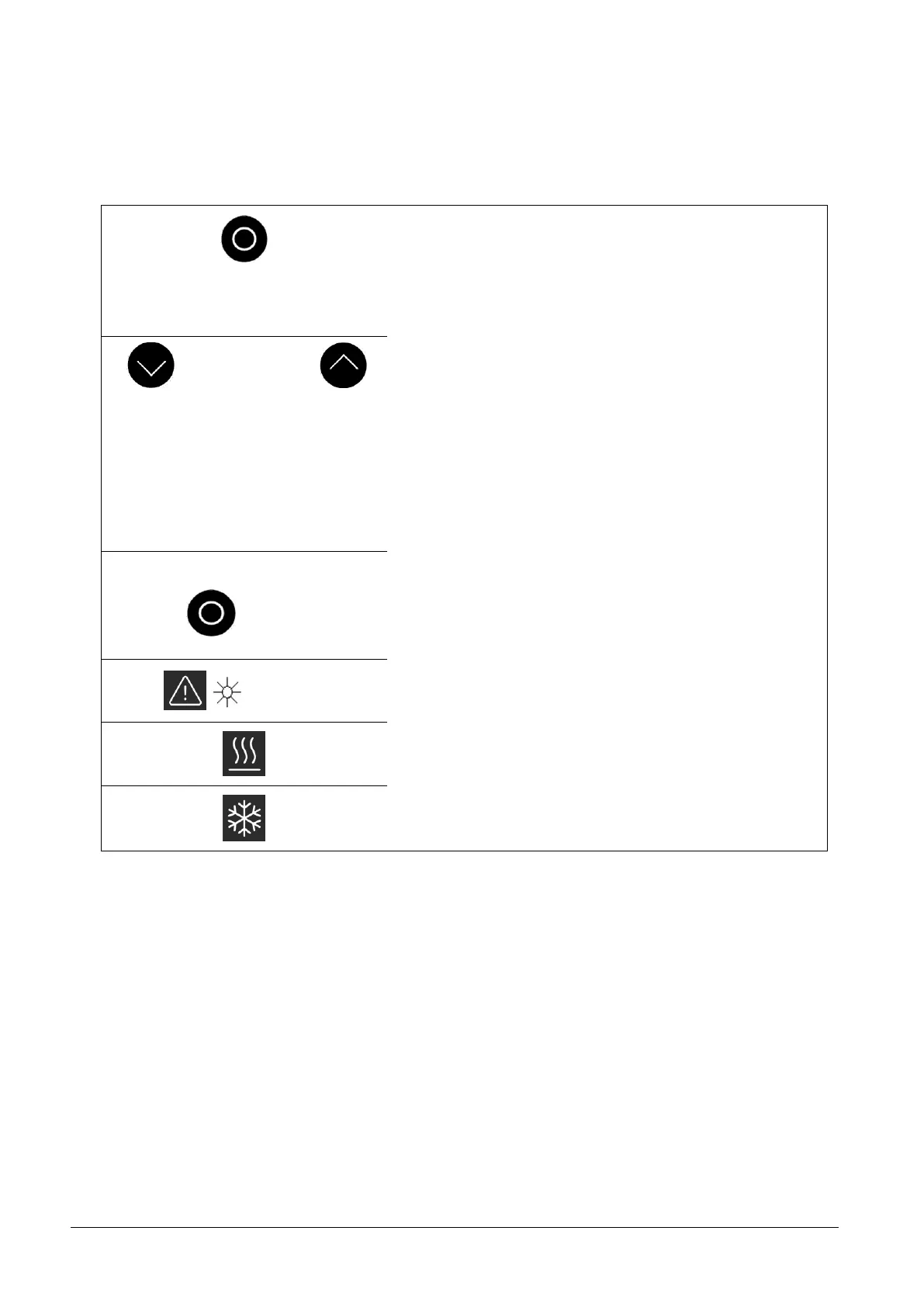
7.3 General key functions and pilot lamps
Your Alpha Thermostat is easy to operate.
Switch from the current bath temperature display to the main
menu;
activates input, display flashes;
saves input, display ceases to flash and menu point is left.
Selection of sub menu or setting of numerical values.
Smart Decrement / Increment Button
Speeds up entry by moving the counting position to the left:
Keys are pressed and held down.
Moves counting position to the right:
Switching one place to the right occurs by briefly (1 second)
releasing the key, followed by another pressing of the key.
Most relevant settings are accepted automatically after ap-
proximately 4 seconds
or
the setting is accepted immediately pressing the <Enter> key.
Fault signal: Flashing red Alarm LED and acoustic signal.
Heating is active when the yellow LED is lit.
Cooling is active. When the setpoint temperature is lowered, it
may take up to one minute before the blue LED is lit.


 To Next Page