7.4 Temperature setpoint setting SEt
The setpoint is the temperature, which the thermostat should reach and maintain constant.
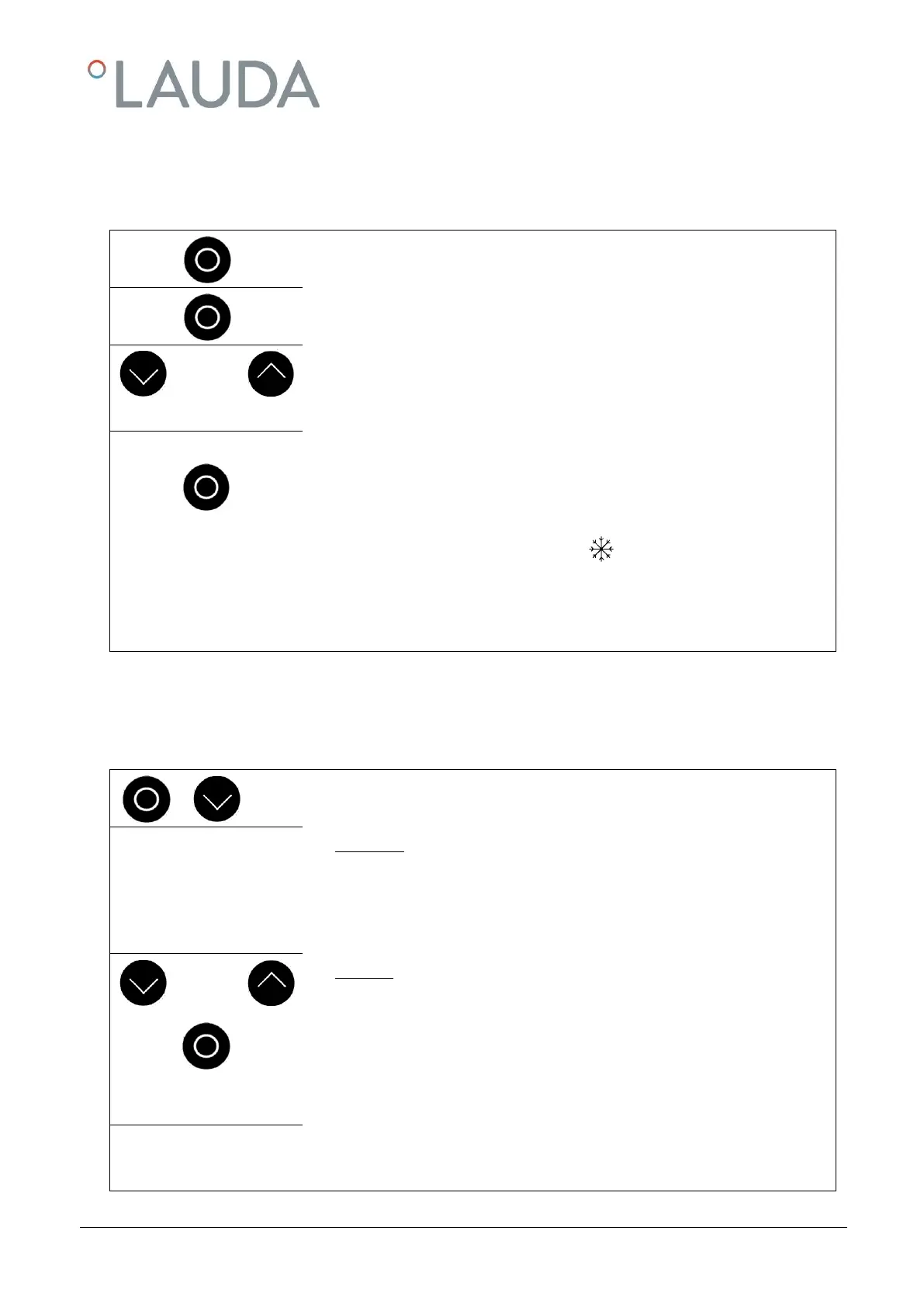
Press key to show SEt (Setpoint).
Press, display flashes.
Decrement or increment the Temperature Setting ( 7.3).
(Temperature can be set from -25 °C up to 100 °C depending on
limits “Hi” and “Lo”).
Display flashes 4 seconds new value is automatically accepted, or
value is accepted immediately with <Enter> key.
When the setpoint temperature is set below the bath temperature, it may take
up to one minute before the blue LED lights.
Entering value closer than 5 °C to the maximum or minimum temperature limit
(Hi and Lo) are not accepted. A buzzer signal appears. If necessary, first
change the temperature limits ( 7.6).
7.5 Automatic Shutdown Timer ASd
The automatic Shutdown Timer can be activated/deactivated, read out or be set. At shutdown time, the pump, heater
and compressor are deactivated, the display then shows “StbY” ( 7.10).
Call the Automatic Shut-Down Timer ASd .
Read Timer:
The display shows… “00.00”: timer not active;
The display shows… “hh.mm” (any value): timer active,
(
hh.mm
minutes remaining to shutdown)
Set Timer:
Increment or decrement “hh.mm” (maximum 99:59)
Within 4 seconds after the last change of values confirm the timer value by press-
ing <Enter>.
You then proceed to Main Menu “Bath Temperature”: A blinking point indicates
that the timer is running!!
No change is done without confirmation by <Enter>!
You can deactivate the timer any time by setting the value “00.00”.


 To Next Page