LAUNCH X-431IV English User’s Manual
12
3.2 Start to diagnose
The vehicle makes, vehicle models and systems
covered by X-431IV is increasing, please log in
http://mycar.dbscar.com/pad/ for the updates and
download diagnostic program of the latest
version.
3.2.1 Enter diagnostic program
After connection, press [POWER] key to start
X-431IV.
After starting the main unit, press [HOTKEY] (or
click [START] button on the main menu, and
select [GAG]→[GD Scan] on the pop-up menu),
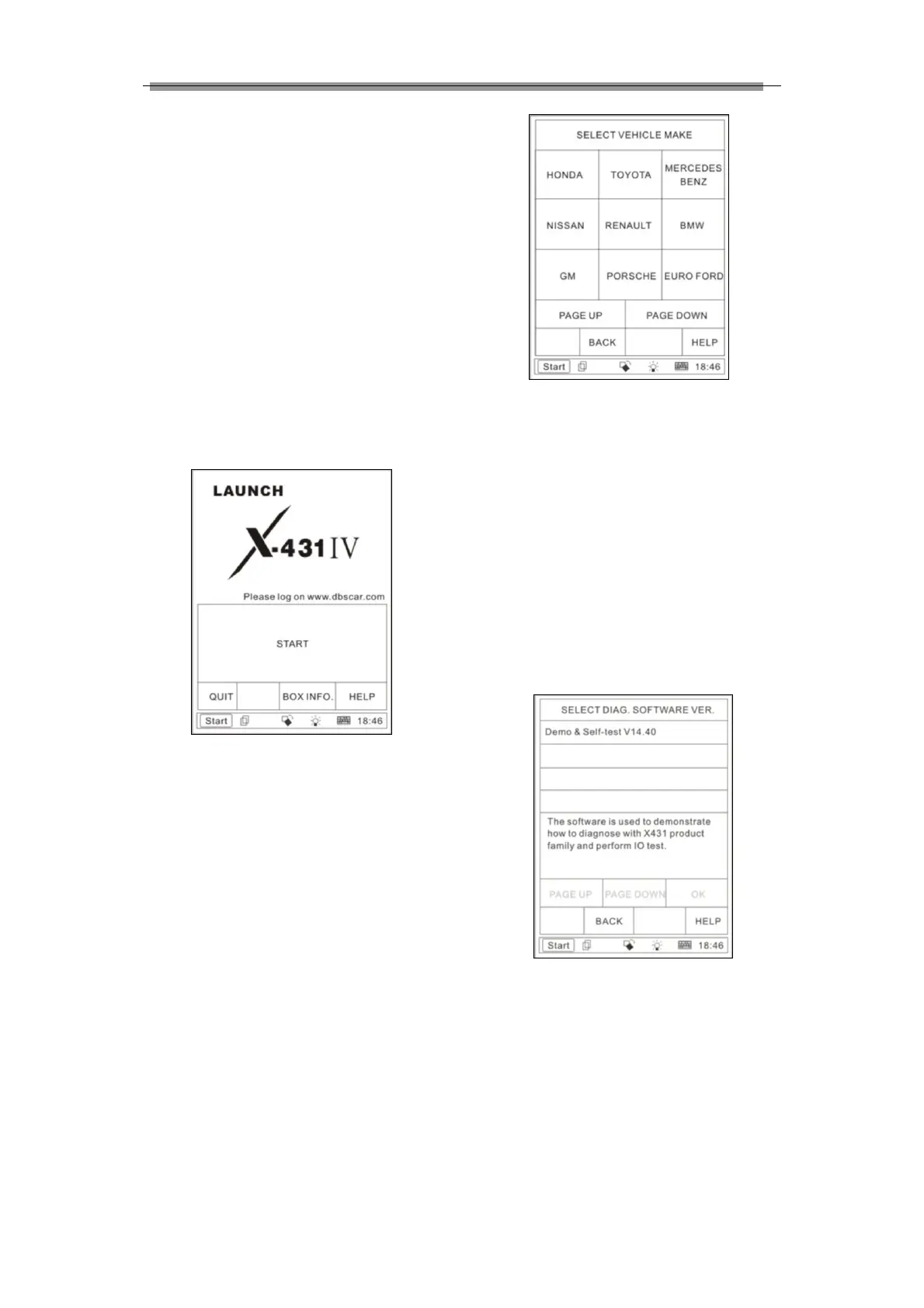
the screen will display the home page of vehicle
diagnosis as shown in Figure 3-1.
Figure 3-1
Button descriptions:
♦ [QUIT]: to exit the diagnostic program.
♦ [BOX INFO.]: to display hardware and
software version of SMARTBOX.
♦ [HELP]: to display help information.
♦ [START]: to proceed to the next step.
Click [START] button, the screen will display
the vehicle make menu as shown in Figure
3-2.
Figure 3-2
Button descriptions:
♦ [BACK]: to return to the previous
interface.
♦ [PAGE UP]: to display the previous
page, it is inactive if the current page is
the first page.
♦ [PAGE DOWN]: to display the next page,
it is inactive if the current page is the
last page.
♦ [HELP]: to display the help information.
Click the icon of DEMO on the vehicle make
menu. The screen will be displayed as shown
in Figure 3-3.
Figure 3-3
Button descriptions:
♦ [BACK]: to return to the previous
interface.



 To Next Page