X-431 Torque User Manual
6
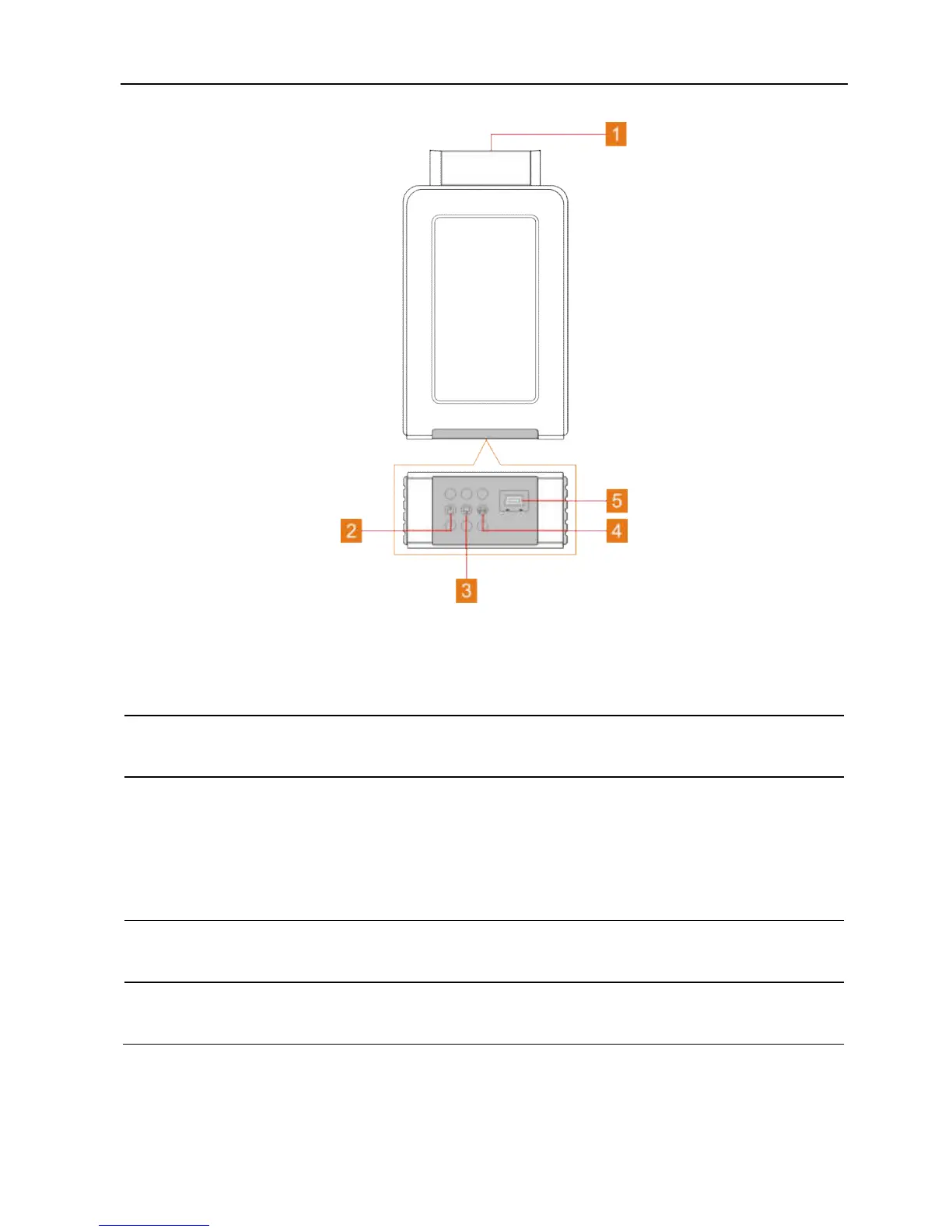
Fig. 1-2 VCI connector
1
OBD-16 diagnostic
connector
To connect on vehicle’s OBD II DLC.
2 Power indicator
It lights up while the connector is plugged into
the vehicle’s DLC.
3
Bluetooth/USB
communication
indicator
It indicates Bluetooth mode if the connector is
energized and illuminates blue (default mode).
It illuminates red when the connector is
connected to the diagnostic tool via USB cable
(The USB port is temporarily disabled).
4
ECU communication
indicator
It flashes when the connector is communicating
with the vehicle.
5 USB port
This port is temporarily disabled and reserved for
subsequent function extension.



 To Next Page