X-431 Torque User Manual
49
Tap
to send the emoj.
Tap
to call out more function options.
Tap “Clear” to delete all the partner’s dialog logs.
Tap “Close” to close the current dialog.
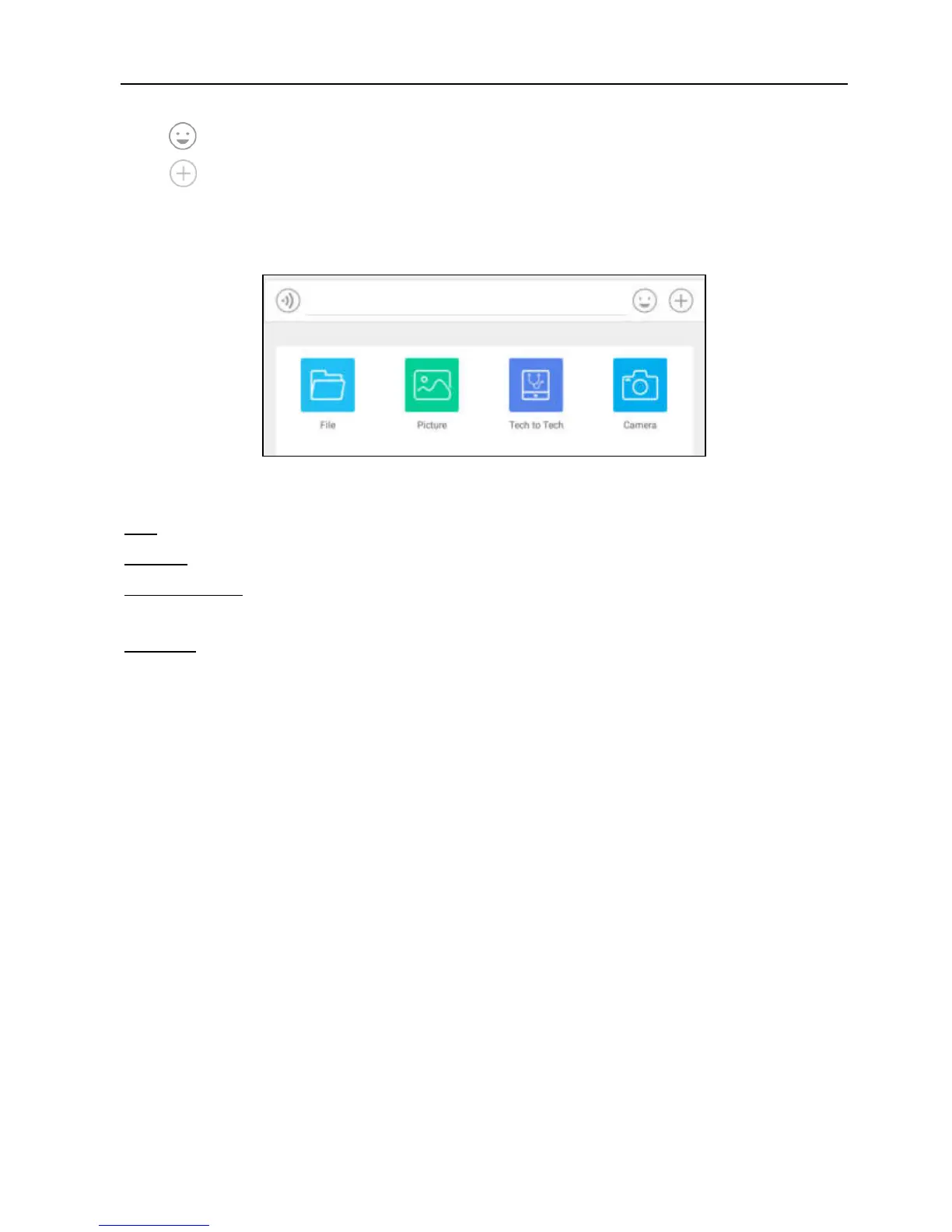
Fig. 5-33
File: Choose diagnostic reports or local files to send.
Picture: Choose screenshots or pictures to send.
Tech to Tech: To start a remote diagnostic session. For details, refer to Chapter
5.3.4.
Camera: Open camera to take pictures.
5.3.4 Launch Remote Diagnosis (Device-To-Device)
The X-431 Torque handset is allowed to launch remote diagnosis with other
diagnostic tools (including but not limited to the X-431 Torque) of Launch family,
which are equipped with this module.
* Note: Before performing this operation, please make sure the following no matter
which side sends the remote request:
Turn on the vehicle power supply.
Throttle should be in a closed position.
The X-431 Torque should be properly connected to the vehicle’s DLC and a
successful communication is required.
In Fig. 5-34, tap “Tech to Tech”, a pull-down menu including the following options
appears:



 To Next Page