English
7
28
Check that the Cappuccinatore is correctly positioned.
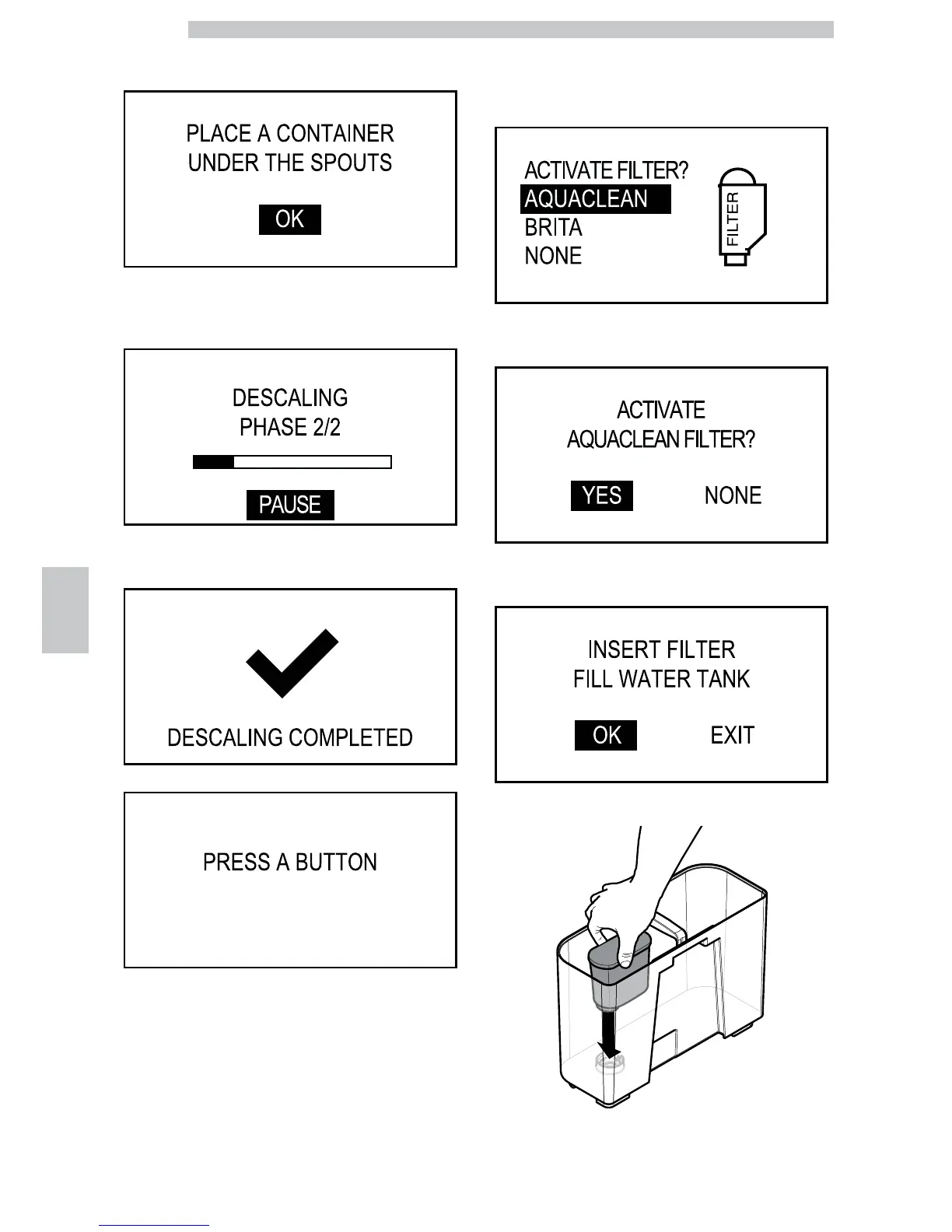
Press the "OK" button The following screen is displayed:
Place a large container under the dispensing spouts (hot
water, coffee and cappuccino). Press the "OK" button The
following screen is displayed:
Once the operation is complete the following screen is
displayed:
The following screen is displayed:
In case machine descaling is not necessary or when
replacing one of the 8 filters, the activation procedure
starts from this point.
Select "AquaClean" and press the "OK" button. The
following screen is displayed:
Select "YES" and press the "OK" button. The following
screen is displayed:
Put the filter into the empty tank. Press it to its limit stop.




 To Next Page