English
7
31
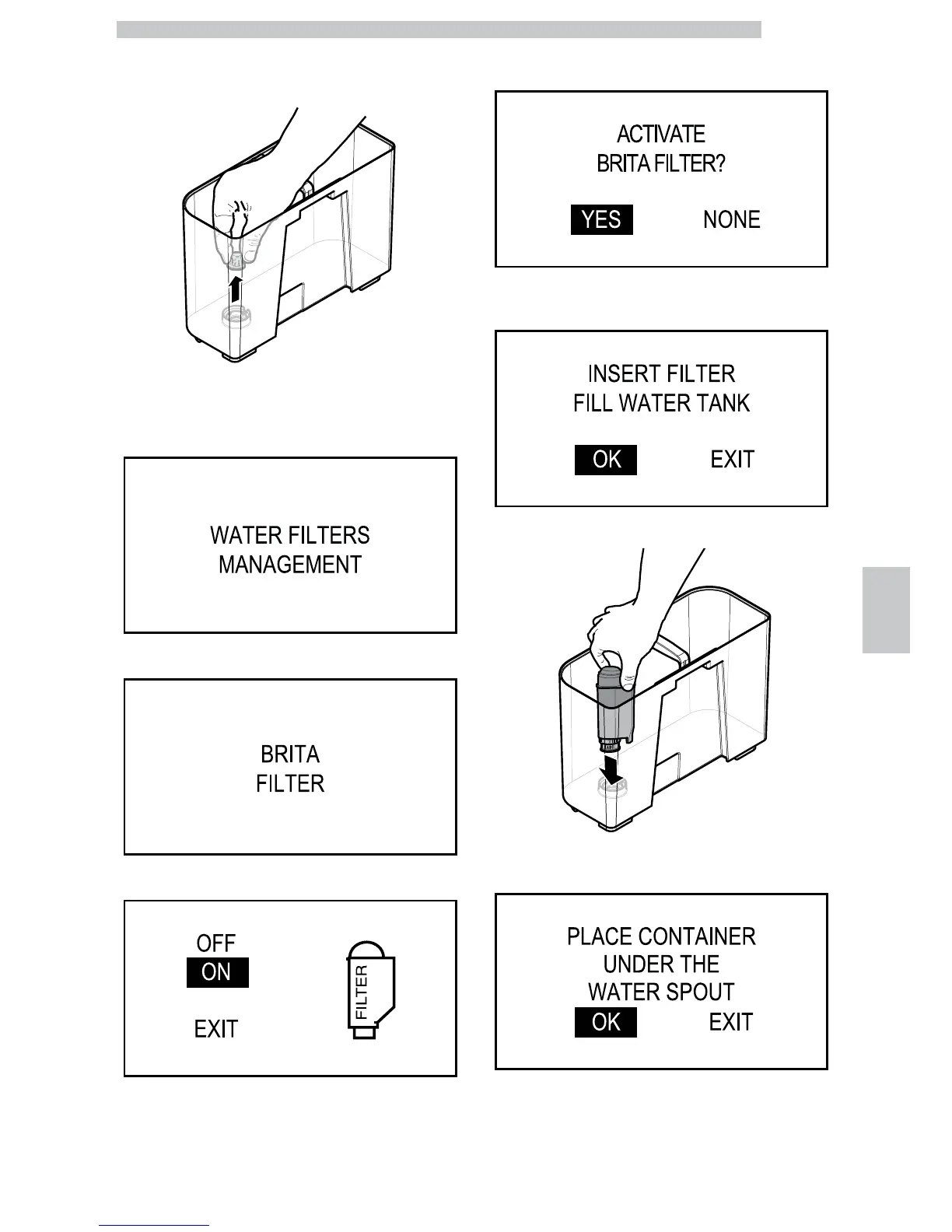
Remove the tank from the machine and empty it.
Remove the small white filter from the tank and store it in
a dry place sheltered from dust.
Switch to machine programming mode as described in
section "Access to the Maintenance Menu". Scroll the
menu until you reach the "Water filters management"
option.
Press the "OK" button and scroll until you reach the "Brita" filter.
Press the "OK" button. The following screen is displayed:
Press the "Down" button to select "ON" and press the
"OK" button to confirm. The following screen is displayed:
Select "YES" and press the "OK" button. The following
screen is displayed:
Put the filter into the empty tank. Press it to its limit stop.
Fill the tank with fresh drinking water and reinsert it into
the machine. The following screen is displayed:




 To Next Page