4 DaVis Hardware Setup
the list of available hardware. Then click on the Camera Shutter entry in
the Recording tree and define the polarity of the required trigger signal.
This camera shutter (#1108326) needs a TTL trigger with negative polarity,
please make sure that the Inverted trigger option is selected.
4.0.2 Line Configuration
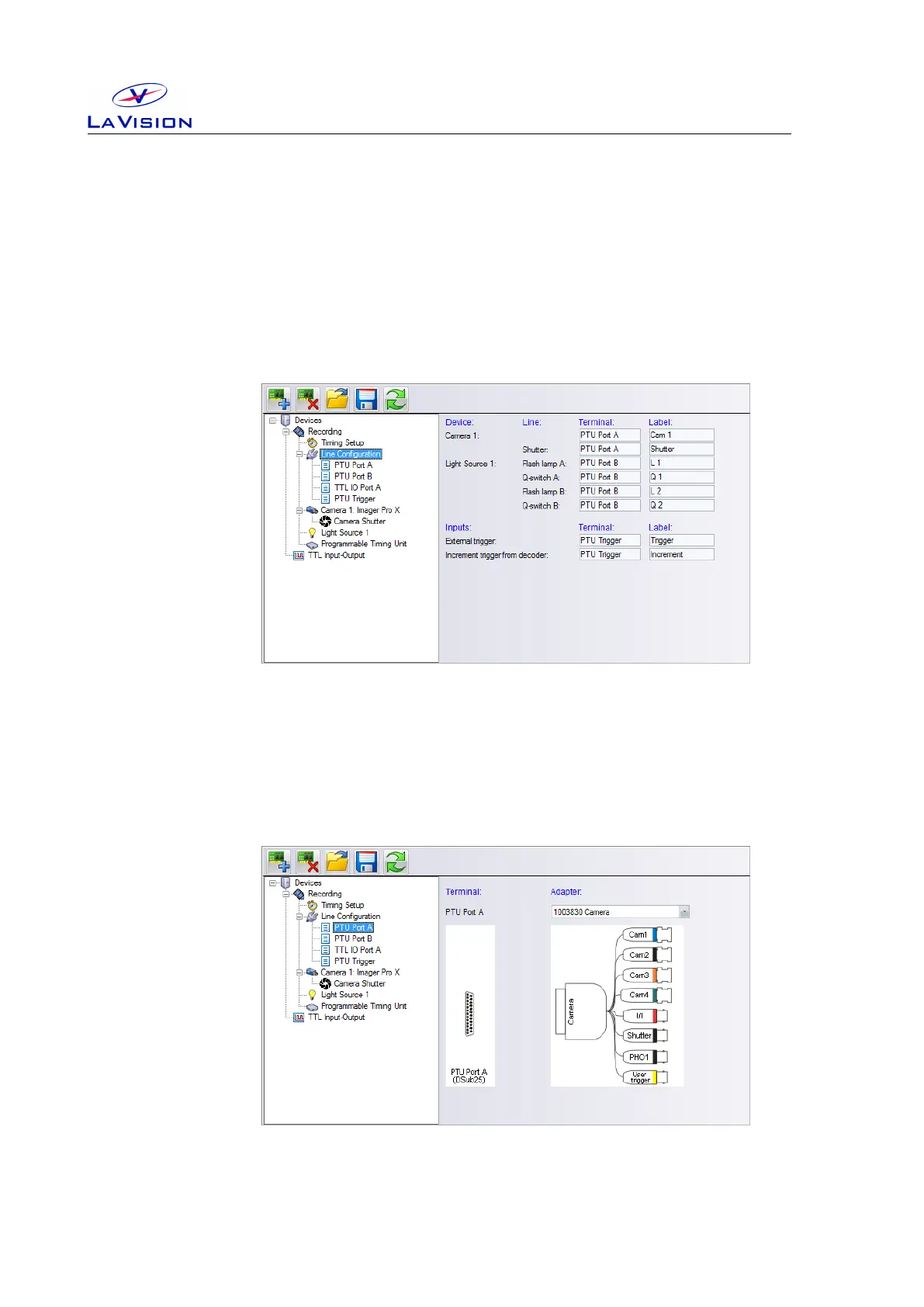
Using the Line Configuration card in the Recording tree of the Hard-
ware Setup dialog you can declare the Camera Adapter type you are
using to provide the camera shutter with the required trigger signals. There
are default adapters for certain systems, but in general there are different
adapters available that can be used. Therefore you need to make sure that
the correct adapter and trigger line is selected in your setup.
The trigger signal for the Camera Shutter is send on one line. By default
the camera adapter #1002047 Camera is used on Terminal: PTU Port
16


 To Next Page