7 Customer Service
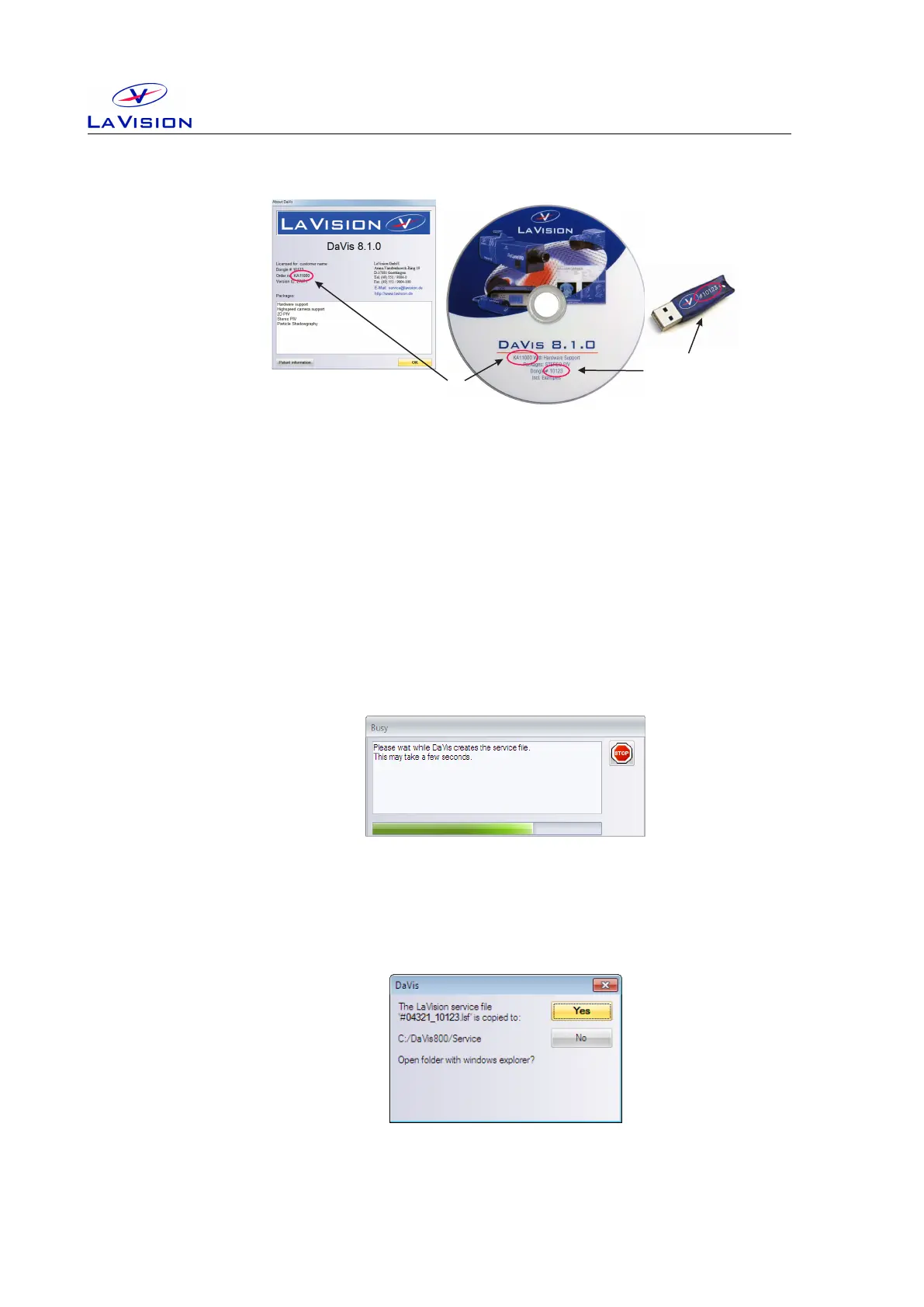
Figure 7.1: Order no. in DaVis/Help and on installation CD.
Please include the order number and the dongle number in your service
requests.
7.2 Customer Settings
To be able to reproduce your problem it could be essential to know the
exact hardware setup and software parameter in DaVis. All currently
used parameter can be extracted using the DaVis/Help/Create service
file for LaVision Support menu.
After you have selected this the system will write back all values for the
relevant variables to an lsf-file. This procedure will take a while indicated
by a Busy dialog. The lsf-file will also contain the current settings of the
hardware setup, acquisition setup and processing operation lists.
The lsf-file will be written automatically to a
˜
davis/service subdirectory.
The name contains the order number and dongle number that is extracted
24


 To Next Page