2 Camera Shutter
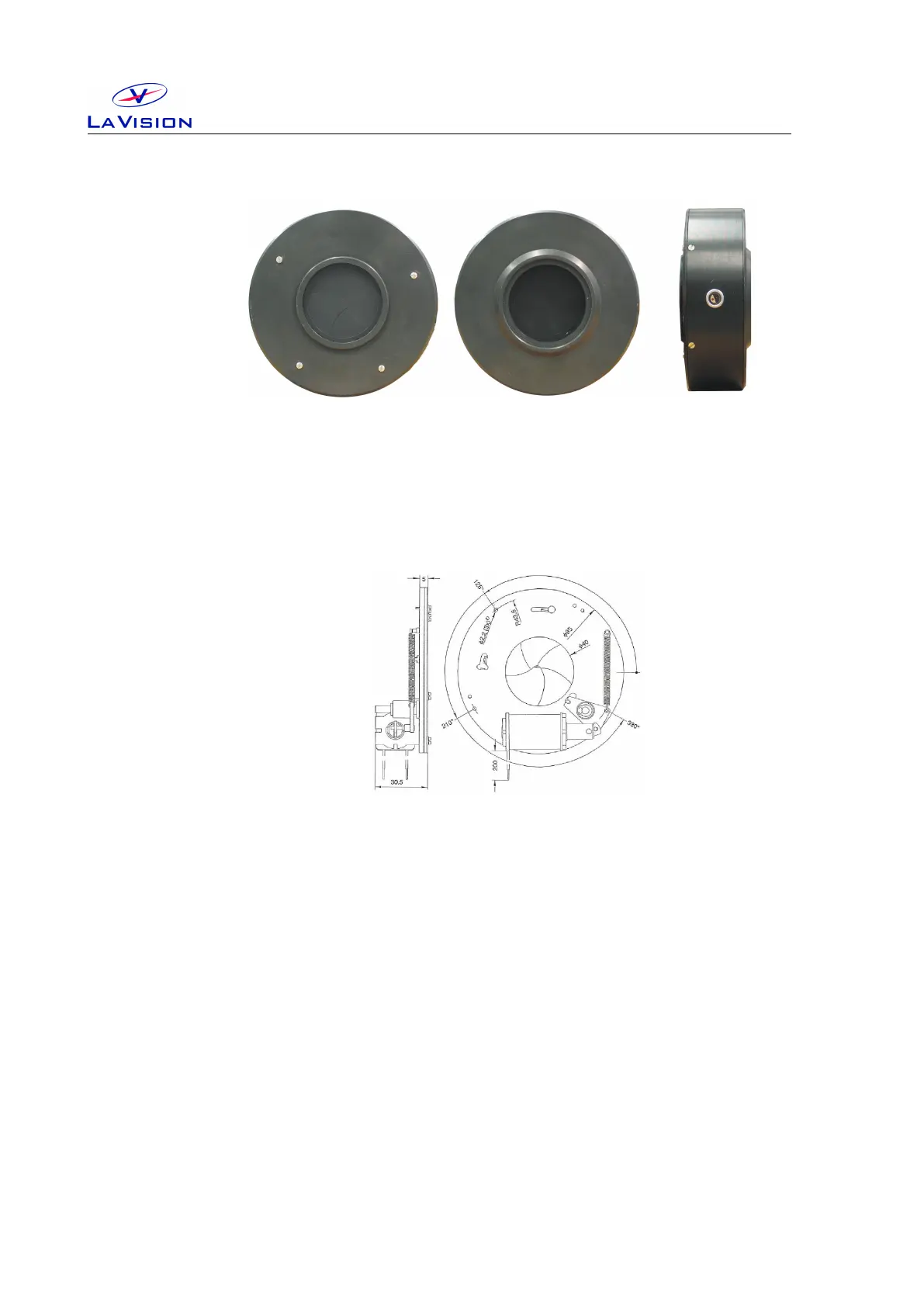
rear view
external (male) M52 thread
front view
internal (female) M52 thread
side view
Lemo connector
Figure 2.1: Camera shutter.
needs to be connected with the shutter driver with a connection cable. Use
the Lemo connector on the side of the shutter.
Figure 2.2: Camera shutter. All dimensions max. in [mm].
Aperture: 40 mm.
Exposure repetition rates: DC ≥ 15 Hz.
Dimensions: 95 mm × 30 mm (diameter×height)
Opening time: min. 10 ms, max. 20 ms
Closing time: min. 10 ms, max. 25 ms
2.2 Shutter Driver
For externally timed control the LaVision shutter driver is used. The
driver can be controlled from a BNC input. With key selection the driver can
be set in one of three modes, outlined below, depending on the application.
Exposure control can be activated by external pulse.
10


 To Next Page