crystal User Manual Version: 6.6.0/2 367/459
19. Configuring Custom Logical Behaviour
19.26 PowerUp Control Outputs
"System -> Definition -> Parameter = PowerUp"
This element has no parameters in the 'Tree Definition' but adds some logical states to the ‘Tree Selection’
window. The states can be used to action other functions – for example, to load a default snapshot on power-
up.
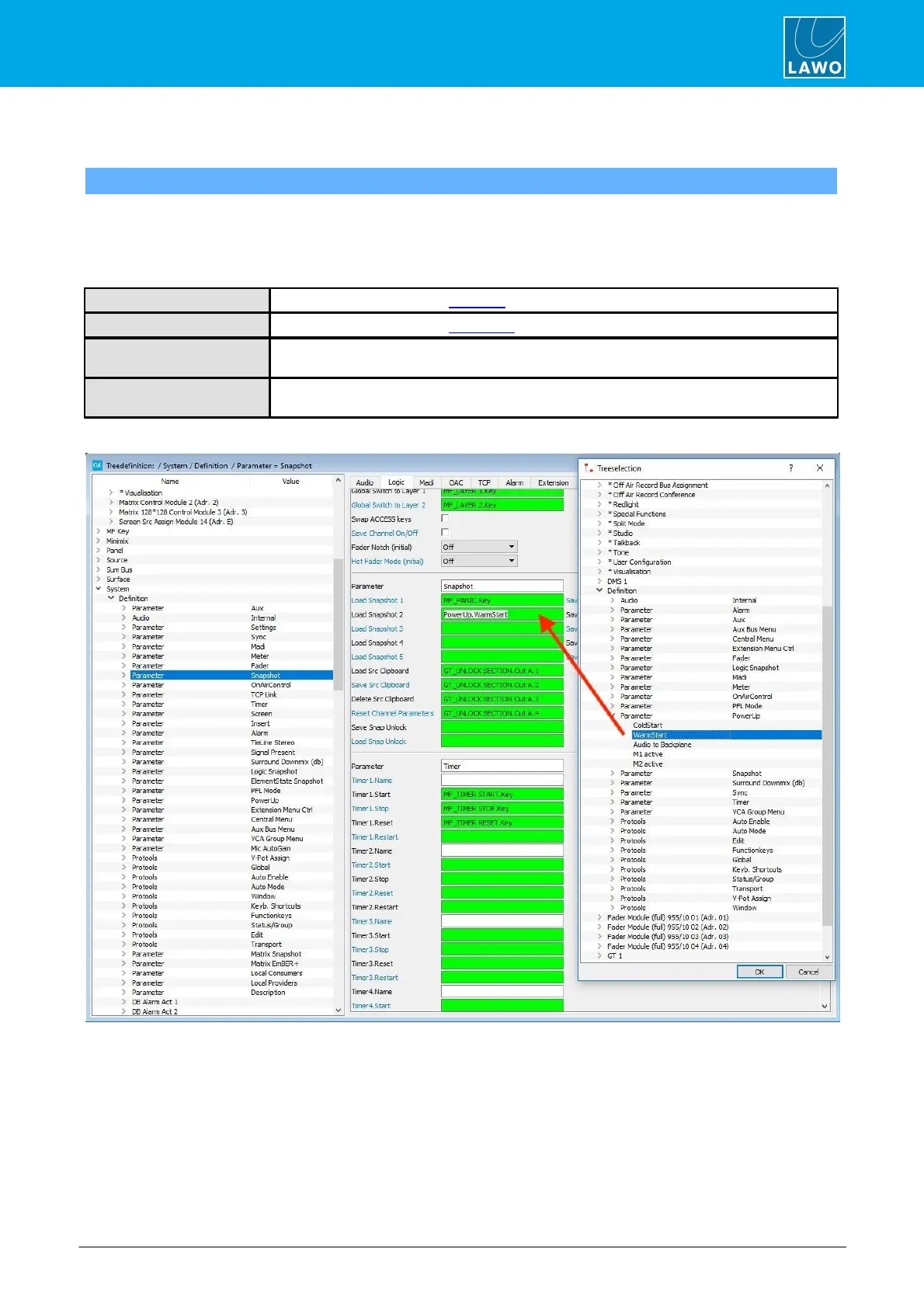
The control outputs appear in the 'Tree Selection' window under “Logic -> Definition -> Parameter PowerUp”:
Active for one second after a cold start.
Active for one second after a warm start.
This output is true if the associated master board is active. If the master board is not active,
the logic signal is false.
These outputs are true if the master card in Slot 1 or Slot 2 is active. They can be used in
sapphire systems to trigger functions when the redundant master card becomes active.
In the example below, the state “WarmStart” has been configured to Load Snapshot 1:


 To Next Page