8
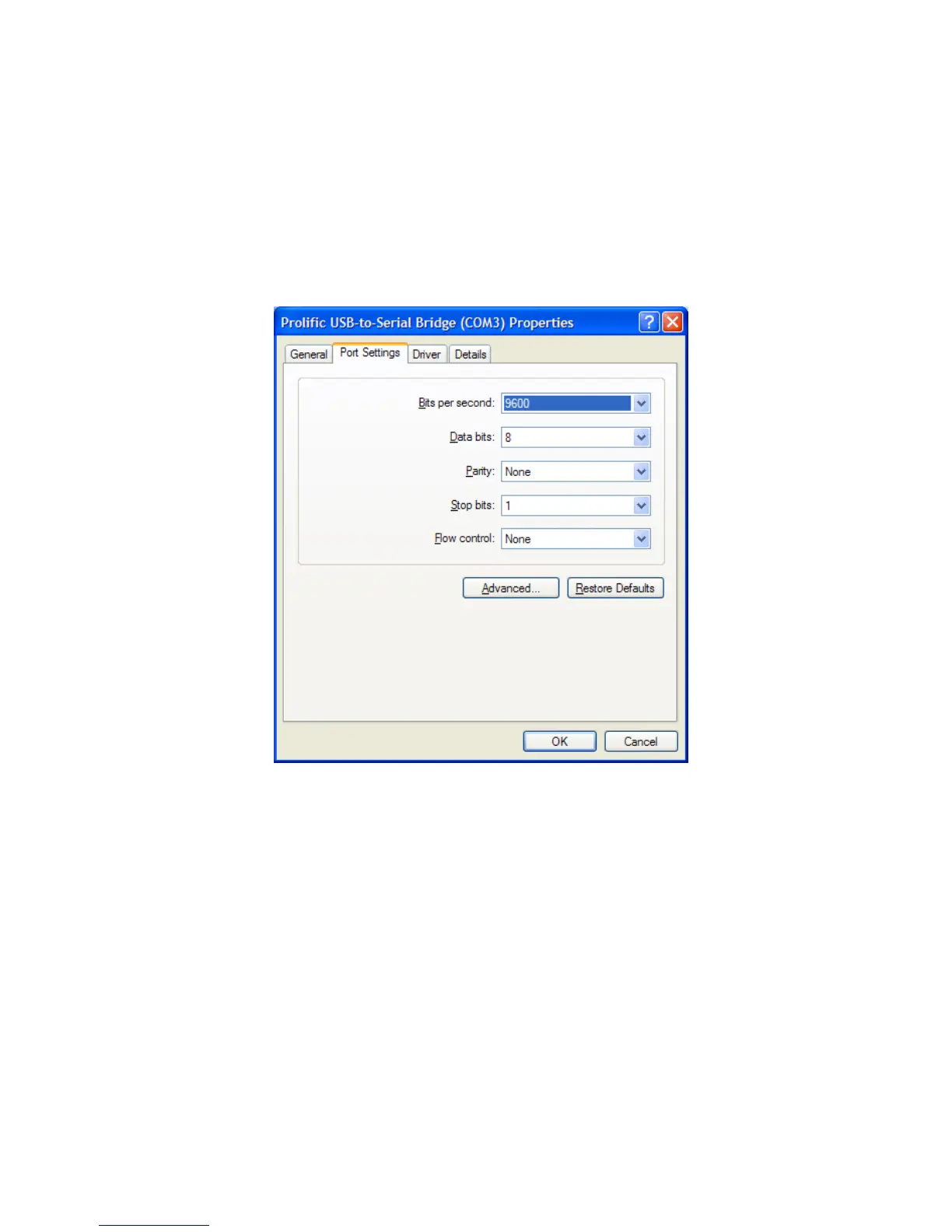
To set serial port parameters for the USB adapter in Windows, select Start > Control Panel >
System, then select the Hardware tab. Select Device Manager, then click on Ports. Double
click on the USB-to-Serial Bridge, then click on the port settings tab. On that panel, you can set
port speed, number of data bits, number stop bits, parity, flow control and other serial parameters.
Set the parameters to 9600 baud, 8 data bits, no parity, 1 stop bit and no flow control. Click OK to
save your settings.


 To Next Page