05. ProTuner - CS1, CS2RS Series
180
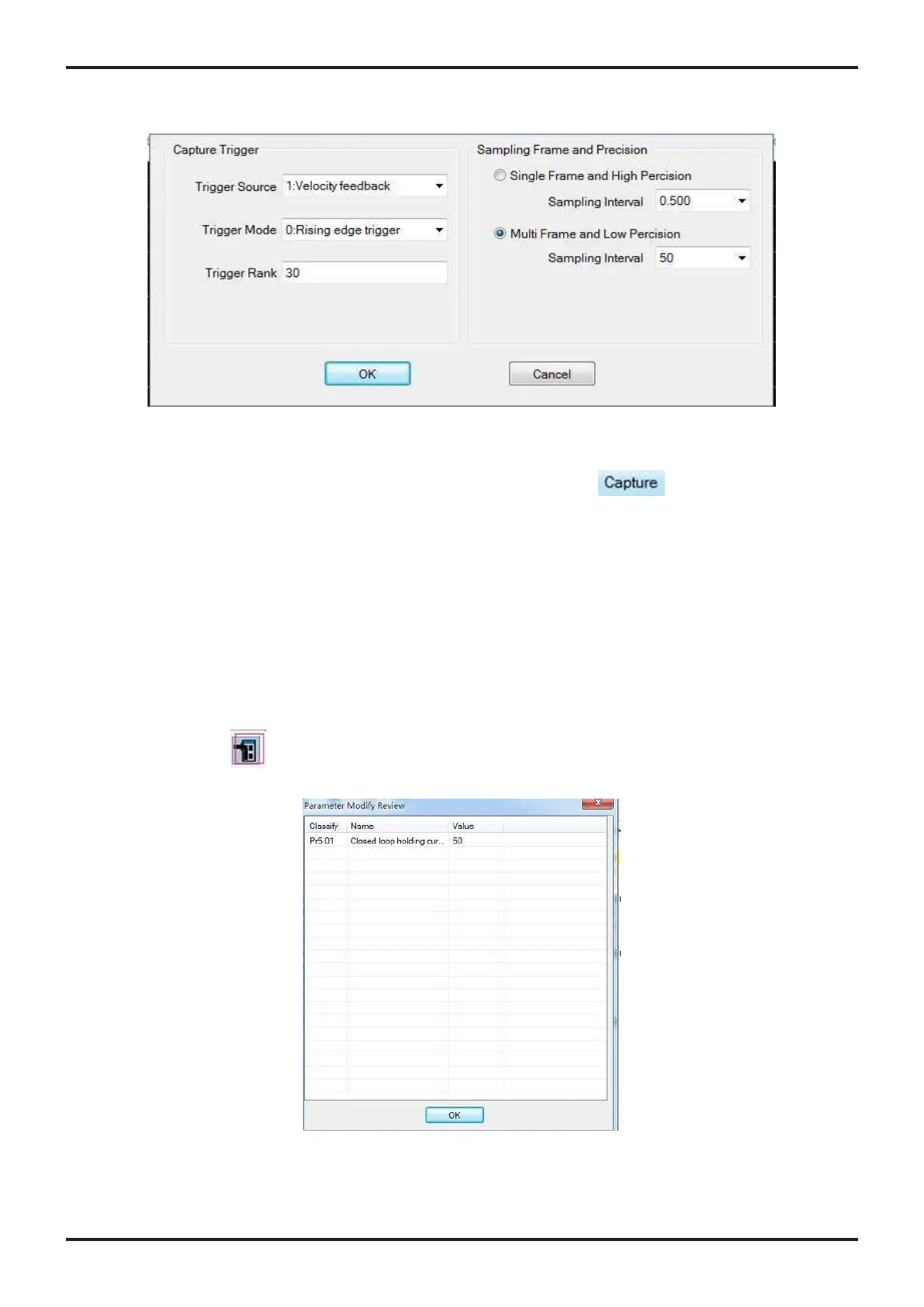
< Figure 10: motion test parameters >
When you have completed the above settings, please click the icon to monitor motion
wave.
6. 파라미터 저장
After parameters tuned & optimized and motion performance tested, you must download their
changes to the drive. Otherwise, those changes will be lost next time when the drive is
re-powered. Following the following steps to write parameters to the drive.
• Click the icon on the parameter manage. A confirmation will be popped up to confirm
the modified parameters and download them to the drive as shown in Figure 11.
< Figure 11: Write to drive confirmation message >
7. 드라이버 리셋
To reset the current drive configurations back to factory settings, follow the following steps.
• Click the icon in parameter manage window. The confirmation message will be popped up
(Figure 12). Select “Driver Parameter” item, then click the “OK” button to continue resetting
Process.
< Figure 12: resetting confirmation message >
8. 파라미터 설정 파일 관리
After the drive performance is tuned and parameter values optimized, its settings can be saved to
a configuration file in .lsr format. You can also open an existing .lsr configuration file and load the
settings to the “Motion Studio” CS1-D software.
8.1 파라미터 설정 파일 열기
Follow the following steps to load settings from an .lsr configuration file.
• Open parameter window, then click icon, then it will show as Figure 13.










 To Next Page