31
ENGLISH
G) Programming the board
Step-by-step logic Condominium logic
Automatic logic Setting-up as "Closing Start" or "Pedestrian Start"
Set the dip switch 1 to OFF
Set the dip switch 2 to ON
Set the dip switches 1 e 2 to OFF
Set the dip switch 1 to ON
Dip switch 4 = ON to enable the Pedestrian Start
Dip switch 4 = off to enable the Closing Start
3 2 1 5 4
ON ON
OF
F OFF
3 2 1 5 4
ON ON
OF
F OFF
Exclusion of slow-down in opening (In Closing never excludable)
Set the dip switch 3 to ON
3 2 1 5 4
ON ON
OF
F OFF
3 2 1 5 4
ON ON
OF
F OFF
3 2 1 5 4
ON ON
OF
F OFF
5 4 3 2
1
Dip switch 5 = NOT USED
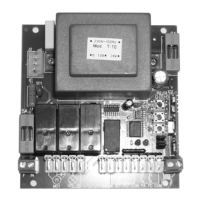
Remote control codes self-learning : Press the P1 push-button once to insert an “Opening Start” or “Start” code; press the P1 twice to insert a “Closing Start” or
“Pedestrian Start” code. Press P1 3 times to insert a “Courtesy light” code. Each time the push-button is pressed, the led DL1 flashes in acknowledgement. Subsequent
pressures of the P1 push-button must be spaced by 1 sec. minimum periods. When the led is lit with a fixed light transmit the code to be learn by means of the remote con-
trol. Warning : By setting the dip switch 4 = ON, the opening start and closing start commands become, respectively, Start and Pedestrian Start.
Erasing all stored codes : Press push-button P1 until the led DL1 goes off (about 2 seconds).
Setting the work time : Make sure the gate is completely closed. Press push-button P2 for about 3 seconds until the gate begin to open. In this phase the gate run at the
slow-down speed and you can adjust the speed by means of the trimmer RV1 (only in this phase the speed is adjustable). When the gate reaches the fully open, wait for
3 seconds, then press sequentially push-button P2 as by the following instructions :
Setting the pause time (only
for automatic and Condominium logic): Before an operating cycle, at any time, before or after programming, press the button P3 until the led
DL1 lights up. Let the desired pause time pass and then press P3 key again to stop the time.
DL1 and Blinker go on automatically
1) start motor
2) start motor’s slow-down
Motor stops automatically
Note: the program automatically assigns the
position of the start slow-down in opening.
The gate thrust can be adjusted at any time by
means of the trimmers RV1.
The slow-down speed of the gate can be
adjusted by means of RV1 only during the
programming phase.



 To Next Page