MyWay+ User Manual p.12
Warning – When
attaching the upper
support unit, ensure
hands are positioned
as per guidance in 9.2
‘Handling the upper
support unit’. Do not
hold the unit around the
bottom.
Warning – if the product
needs to be lifted once
the upper support unit
has been attached
to the frame, ensure
normal moving and
handling procedures are
adhered to due to the
product’s weight.
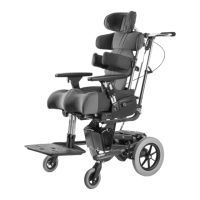
9.4 Upper Support Unit | Attaching
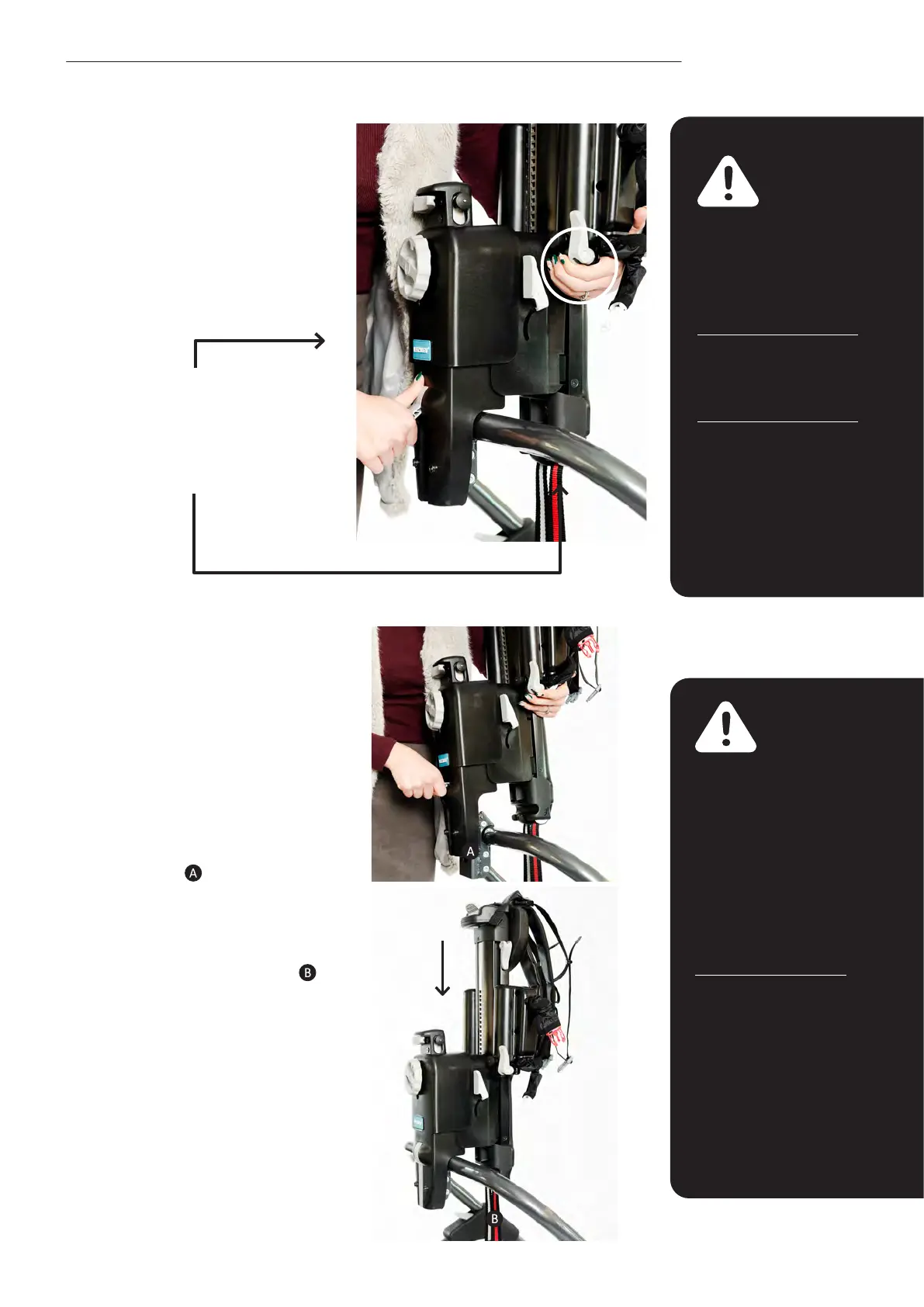
the Upper Support Unit to the Frame
• Ensure brakes have been
applied to all castors -
see section 9.6
‘Applying/releasing brakes’
for instructions.
• Line the spine attachment
of the upper support unit
up with the receiver slot
on the frame.
• Ensure the pulley straps on
the upper support unit are
placed in front of the frame
tubing and are not behind it.
• Then drop the upper support unit
down into the receiver slot. The grey
lever on the upper support unit
should automatically ip down
into place. If this does not happen,
simply push the lever down. To
check if the upper support unit is
engaged correctly, lift the support
unit upwards. The frame should
begin to lift off the ground if
properly engaged.
9.3 Upper Support Unit |
Handling the Upper Support
Unit
• Place one hand underneath
the grey lever on the unit.
• Ensure overall height is
adjusted to its highest
position- see section 9.12
‘Overall Height Adjustment’.
• Hold the grey lever on the
unit with the other hand.
Note – this section only
applies to sizes 2 and
3 as the upper support
unit does not detach
from size 1.
Warning –
the upper support
unit weighs 11kg.
Hold the upper
support
unit close to the body
and adhere to normal
moving
and handling
procedures.



 To Next Page