p.17 MyWay+ User Manual
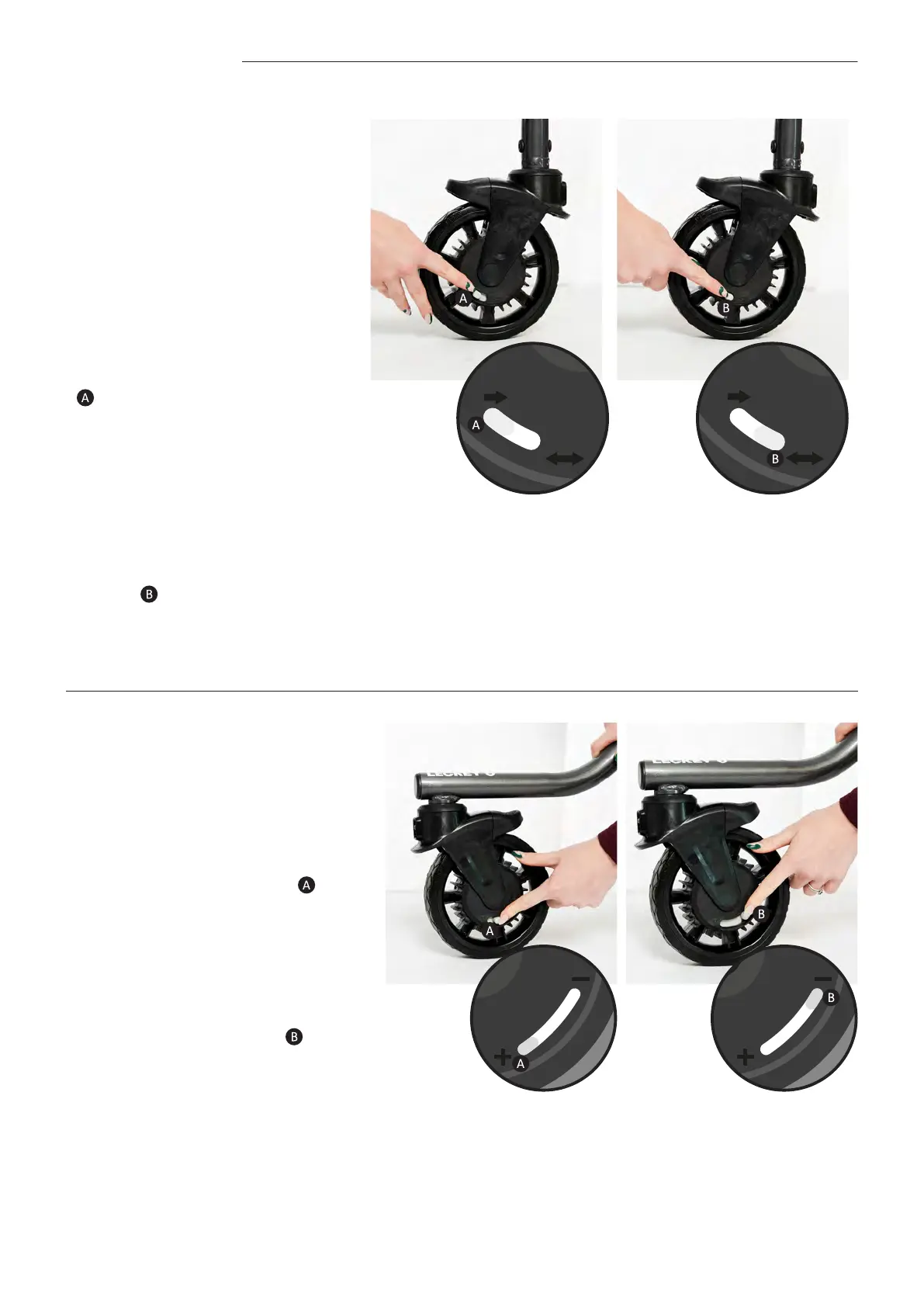
9.8 Castors | Anti-Roll Back Feature
9.9 Castors | Resistance Feature
• Ensure the directional lock
feature has been applied to
both rear castors –
see section 9.7 ‘Direction lock
feature’ for details.
• To apply anti-roll back, move
the grey slider on the side of the
castor towards the one directional
arrow icon as far as it will go.
Anti-roll back should be applied
to at least 2 castors- it will only
work on the castors it has been
applied to.
• To release anti-roll back, move
the grey slider on the side of
the castor towards the two
directional arrow icon as far as it
will go.
• To apply resistance to the
castors move the grey slider on
the side of the castor towards
the ‘+’ icon - the further the
knob moves towards the ‘+’ icon,
the greater the resistance.
• To remove resistance to the
castors move the grey slider on
the side of the castor towards
the ‘-‘ icon - the further the
slider moves towards the ‘-‘ icon,
the lesser the resistance.
• Resistance can be applied
independently to each castor
to suit user requirements e.g.
resistance can be applied to
the left/right hand side castors
only for an asymmetric user;
or resistance can be applied
equally to all four castors.
Note – If you are concerned the user may move too
quickly in the product and there is potential risk of
collision/injury, apply the resistance feature.
NOTE- A clicking sound may be heard when the
frame is in motion after the anti-roll back feature
has been applied- this is normal and is not a cause
for concern.



 To Next Page