MyWay+ User Manual p.18
9.11 Upper Support Unit Adjustments | Prone Angle
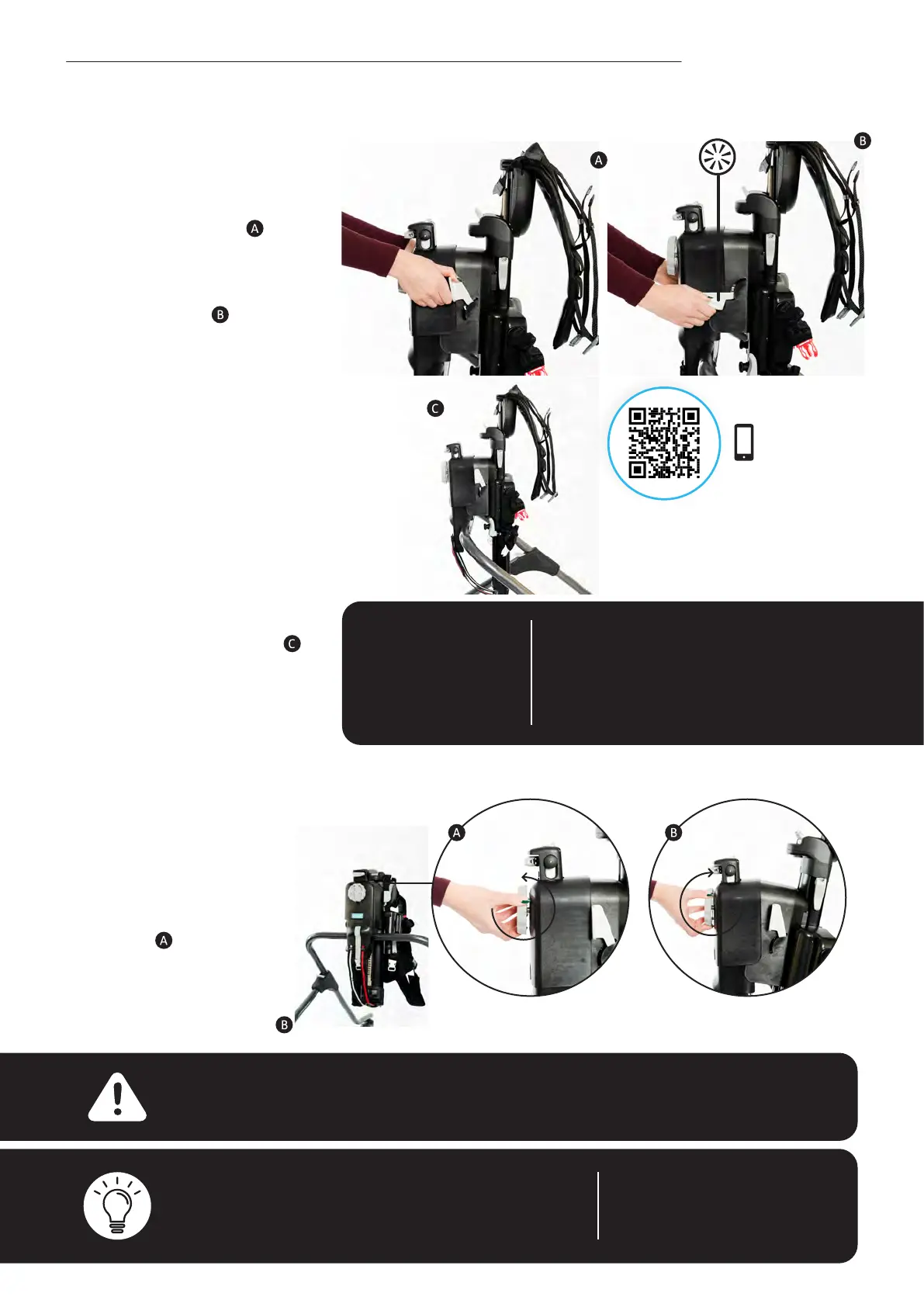
• To increase prone angle,
turn the knob in an
anti-clockwise direction.
Up to 10˚ of angle
adjustment can be
achieved.
• To decrease prone
angle, turn the knob
in a clockwise direction.
Note – if you nd adjustment of the prone angle
challenging, ask the user if they can support some of
their weight if possible, or, ask another person to help
and support some of the user’s body weight.
Note – prone angle can be
adjusted with the user in
the product.
Warning – once the prone angle adjustment knob reaches its limit in either
a clockwise or anti-clockwise direction, do not force the knob any further.
9.10 Upper Support Unit Adjustments | Fine Height Adjustment
• Grasp both of the ne
adjustment handles.
• Push the adjustment
handles downwards until
you hear a click , then
pull the handles upwards
until you hear a click and
vice versa, continuing until
you achieve the desired
position. The ne height
can only be adjusted
upwards in increments
of 10mm.
• If you nish on a
downwards stroke, the
adjustment handles will be
facing outwards - ensure
the handles are pushed
upwards, out of the way.
Note – ne height
can only be used
to increase height,
it cannot be used
to reduce height.
Note – if you nd adjustment of the
ne height challenging, ask the user if
they can support some of their weight if
possible, or, ask another person to help
and support some of the user’s body
weight.
Note- this section only
applies to sizes 2 and 3.
Scan the QR code
with your phones
camera to view



 To Next Page