MyWay+ User Manual p.24
10.3 Donning the Harness | In Supported Standing
Warning – Donning the harness in supported standing may only be
possible if the user can take their own weight through their legs.
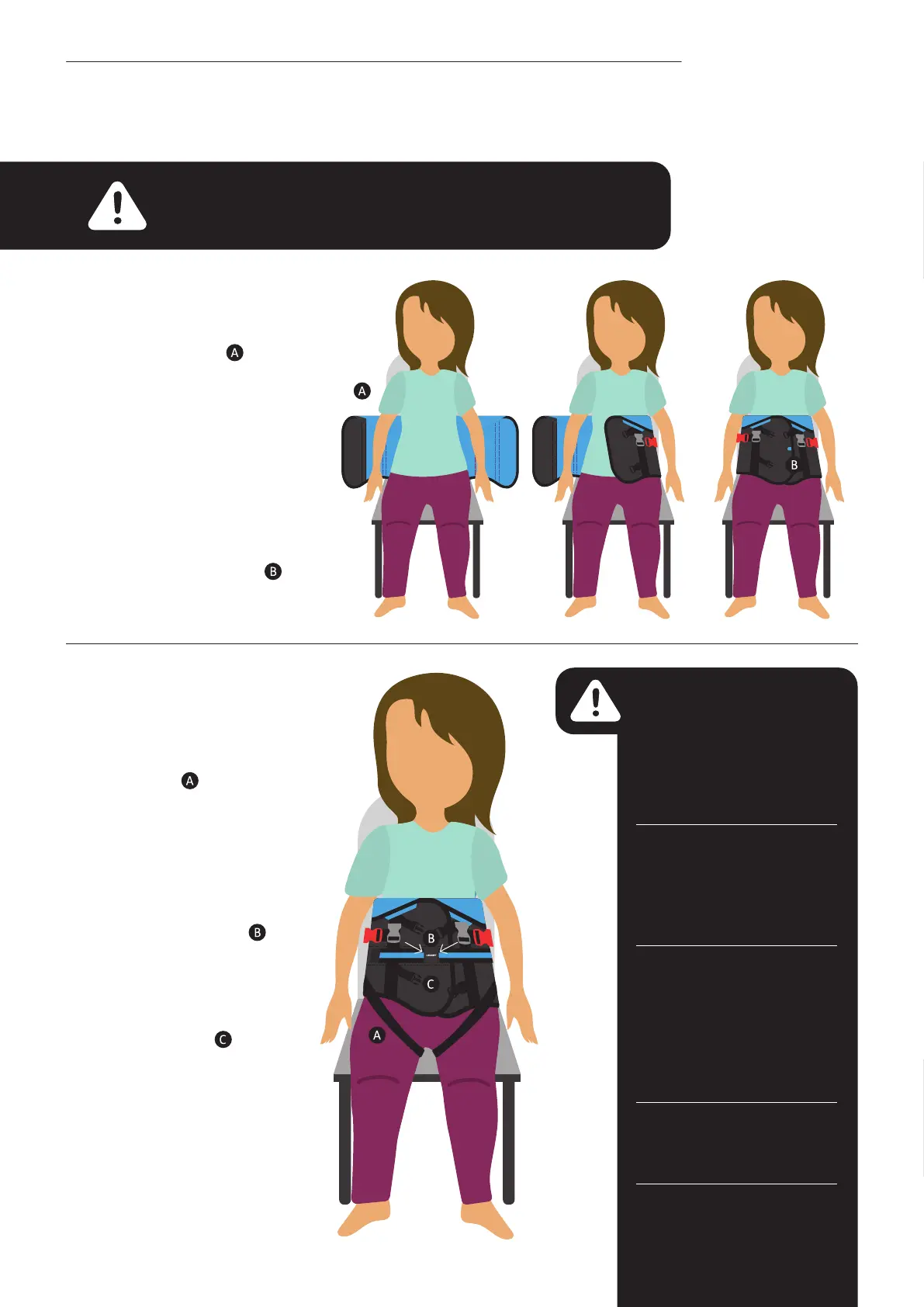
• Sit the user on a chair,
perched and facing you
against a support
e.g. sofa or plinth.
• Overlap the harness to
secure it around the user’s
waist by a minimum of
8-10cm, ensuring the
overlapping edges are
straight. The coloured tab
serves as an indicator to
show if the outer wrap is
in the correct position.
• Connect the groin straps
securely using the black
buckles. Adjust tautness
as required by pulling the
black straps.
• Release the stripe belt
strap, pull across the
user’s front and secure
to increase the support
around their trunk and
create a ‘hug’ effect.
• Connect the straps
situated above and below
the strip belt strap. Secure
the black buckles
.
Adjust
the strap length if required.
• Check that the harness
is containing the top of
the user’s pelvis whilst
permitting hip movement.
Warning – if the harness
slips during use it may not
be properly secured. Start
the process of donning the
harness again rather than
trying to correct this when
the user is upright.
Regular precautionary
checks are advised to assess
the user during/after use of
the harness with regard to
potential skin irritation.
Precautionary checks
are advised to assess the
user during/after use of
the device in the unlikely
event they may experience
compromised respiratory
function.
Never leave a user
unattended whilst on
a plinth.
Never use a damaged or
badly worn harness.



 To Next Page