EasyManua.ls Logo

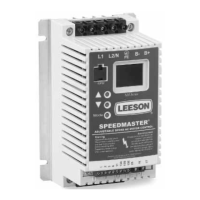
Leeson SPEEDMASTER MICRO Series - User Manual

Leeson SPEEDMASTER MICRO Series
80 pages
Print Icon
To Next Page IconTo Next Page
Loading...
SPEEDMASTER
®
MICRO SERIES COMPACT INVERTERS
Installation and Operation Manual

Questions and Answers

  • J
    John SanchezAug 13, 2025
    What to do if my Leeson Inverter shows 'PWR SAG'?
    • A
      Ashley GomezAug 14, 2025
      If the Leeson Inverter displays 'PWR SAG' due to an erratic AC line, perform a factory reset using Parameter 65-PROGRAM. This action updates the software and allows the fault to be reset.
  • S
    smithmitchellAug 17, 2025
    Why is my Leeson SPEEDMASTER MICRO display blank and the drive won't run?
    • S
      Shane CrosbyAug 17, 2025
      If the Leeson Inverter displays a blank screen and will not run, it indicates the power supply has shut down. Inspect the heatsink fans for obstructions. If the fans are clear and the issue persists, contact the AC Tech Service Department.
  • R
    Ryan RobertsAug 21, 2025
    Why does my Leeson SPEEDMASTER MICRO show an OVERLOAD error?
    • D
      Dr. Robert FergusonAug 21, 2025
      The Leeson Inverter might be showing an OVERLOAD error because the drive is undersized for the application, or there might be a problem with the motor or the driven equipment.
  • C
    Chris HardingAug 25, 2025
    Why does my Leeson Inverter show 'HI VOLTS'?
    • D
      Dr. Jody RobinsonAug 26, 2025
      If the Leeson Inverter displays a 'HI VOLTS' error, it could be due to high line voltage, an overhauling load, or the deceleration rate being set too fast.
  • Q
    qsmithAug 28, 2025
    What causes 'HI TEMP' error on Leeson Inverter?
    • K
      Keith JensenAug 29, 2025
      If the Leeson Inverter displays a 'HI TEMP' error, it could be due to a high ambient temperature or a fan failure (if equipped).
  • S
    Susan ScottSep 1, 2025
    What to do if Leeson Inverter shows 'CONTROL'?
    • N
      nboydSep 1, 2025
      If the Leeson Inverter displays 'CONTROL', perform a factory reset using Parameter 65-PROGRAM. This action updates the software and allows the fault to be reset.
  • D
    Denise ThomasSep 5, 2025
    Why does my Leeson SPEEDMASTER MICRO display 'LO VOLTS'?
    • C
      Christopher ChenSep 5, 2025
      If the Leeson Inverter displays 'LO VOLTS', it is due to low line voltage.
  • A
    Andrea DavidsonSep 8, 2025
    What causes 'OUTPUT' error on Leeson SPEEDMASTER MICRO Inverter?
    • W
      William MillerSep 9, 2025
      The 'OUTPUT' error on a Leeson Inverter can be caused by a phase to ground short, a phase to phase short, the FX or AC BOOST being set too high, or a bad transistor module (IPM).

Summary

EC Declaration of Conformity

Equipment Type

Declares conformity for AC Variable Frequency Motor Drives with a specific date code.

EC Directives

Lists relevant Council of European Communities Directives for product conformity.

Harmonized Standards Used

Specifies the harmonized standards applied for EMC and electronic equipment.

General Information and Specifications

Micro Series Specifications

Lists technical specifications for the MICRO Series drives.

Product Dimensions and Ratings

Micro Series Ratings

Presents electrical ratings for MICRO Series drives across different voltages.

Installation and Wiring

Input AC Requirements

Details voltage, kVA, fusing, and disconnect requirements for AC input.

Power Wiring

Instructions for connecting incoming AC power to the drive.

Initial Power Up

Procedure for powering up the drive for the first time and checking motor rotation.

Keypad Control and Display

Control Wiring

Start;Stop and Speed Control Methods

Details on two-wire, three-wire, and alternate start/stop control schemes.

Control Wiring Diagrams

Programming the Drive

Programming the Parameters

Instructions on how to enter programming mode and change parameters.

Parameter Access Using Speed Dial

Method for quickly accessing and programming parameters using the Speed Dial.

Parameter Menu and Descriptions

Parameter 0: Line Volts

Calibrates the drive for the correct input voltage (AUTO, HIGH, or LOW).

Parameters 8-9: Acceleration and Deceleration

Sets acceleration and deceleration times for the drive.

Parameters 10-11: Min;Max Frequency

Defines the lower and upper limits of the drive's speed range.

Parameters 16-17: Current and Motor Overload

Sets current limit and motor thermal overload protection parameters.

Parameters 25-32: Start, Stop, and Speed Settings

Defines start mode, stop mode, rotation, speed control, units, and HZ multiplier.

Troubleshooting

Fault Conditions and Causes

Lists common fault messages, their descriptions, and possible causes.

Leeson SPEEDMASTER MICRO Series Specifications

General IconGeneral
Output Frequency0-400 Hz
Frequency50/60 Hz
EnclosureIP20
Control MethodV/F Control
Phase3-Phase
DisplayLED
CommunicationRS485 (Optional)
ProtectionOvervoltage, Undervoltage, Short Circuit

Related product manuals