15
3. Using the product / 3.3 Maintenance-Others
* When cleaning and maintaining the robot and its accessories, please unplug the charging stand.
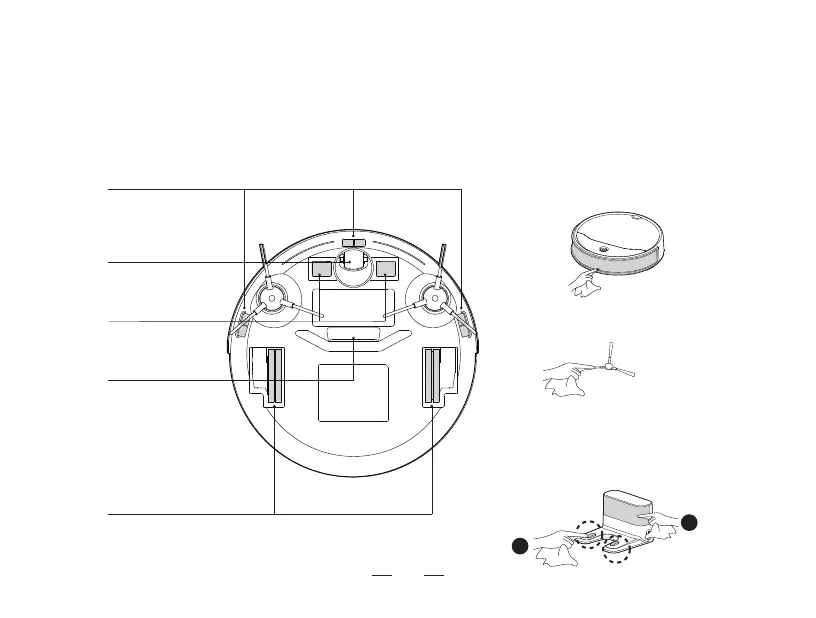
4. Clean the suction mouth
to avoid dust clogging.
7. Clean the side brush to prevent hair from
tangling.
5. Clean the driving wheel to
ensure clean smoothly.
2. Clean the universal wheel
to prevent hair from tangling.
6. Clean the Anti-collision sensors to ensure
sensitive obstacle avoidance.
1. Clean the anti-drop sensor to ensure the sensitivity of the sensor.
3. Clean the charging
electrode to ensure
successful charging.
8. ①Clean the charging pins on the charging
base to ensure smooth charging.
8. ②Clean the infrared sensor lens on the
charging base to prevent signal interference.
1
2



 To Next Page