Need help?
Do you have a question about the lefant M210P and is the answer not in the manual?
Guidelines on safe operation distances and antenna placement to meet FCC RF exposure limits.
Details all components included in the robot vacuum cleaner package.
Identifies and labels all robot, docking station, and internal parts with diagrams.
Step-by-step instructions for robot assembly and initial charging procedures.
How to prepare your home environment for optimal robot operation.
Explains robot button operations and the meaning of indicator lights.
Guide to downloading and configuring the Lefant mobile app for robot management.
Steps for cleaning robot components and maintaining optimal performance.
Lists common robot fault causes, their associated sounds, and initial solutions.
Detailed solutions for resolving various product faults and issues.
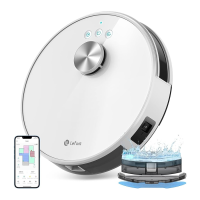
This document serves as the user manual for the Lefant M210P Robot Vacuum Cleaner, providing comprehensive instructions for its operation, maintenance, and troubleshooting. The device is designed to automate floor cleaning in household environments, aiming to provide a high-quality life by maintaining a clean home.
The Lefant M210P is a robot vacuum cleaner equipped with various sensors and functionalities to navigate and clean effectively. Its primary function is to autonomously vacuum floors, collecting dust, debris, and small objects. The robot features a start/pause button for initiating or pausing cleaning cycles, and an anti-collision sensor to prevent bumps and damage to furniture. For internal operation, it includes a power switch to turn the device on or off, and a dust bin to collect the vacuumed dirt. The bottom of the robot houses anti-falling sensors to prevent it from tumbling down stairs or ledges, a universal wheel for omnidirectional movement, charging electrodes for docking, side brushes to sweep debris into the suction path, a suction mouth for vacuuming, and drive wheels for propulsion. The dust bin assembly consists of a handle, a pre-filter, and a HEPA filter, which work together to capture fine particles and allergens, ensuring cleaner air.
The device operates with a docking station that serves as its charging base. The docking station includes a power adapter, an indicator light, infrared signal transmitters for guiding the robot, and charging electrodes that align with those on the robot. The power adapter socket connects the docking station to the main power supply.
To begin using the Lefant M210P, users must first remove any protective films from the robot and docking station. The side brushes need to be installed by snapping them into place on the bottom of the robot. The docking station should be placed in an open area, ensuring at least 0.5 meters (1.64 feet) of clear space on either side and 1.5 meters (4.92 feet) in front, to allow the robot to easily dock and maneuver. The power supply for the docking station must be connected and the cord tidied to prevent entanglement.
Before operation, the robot's power switch, located under the faceplate, must be turned to the "ON" position (marked "I"). The robot cannot be charged if it is turned off. For charging, the robot is placed at the docking station, ensuring the charging electrodes are aligned. A twinkling indicator light signifies charging, while a turned-off light indicates a full charge, which typically takes 4 hours.
The robot can be controlled via its physical buttons or through a dedicated mobile application. A single press of the start/pause button initiates or pauses cleaning. A double press triggers the automatic return and charge function, sending the robot back to its docking station. Pressing and holding the button for 6 seconds activates Wi-Fi pairing mode, allowing the robot to connect to the Lefant app.
The app, available for iOS and Android, can be downloaded by scanning a QR code or searching "Lefant" in the app store. The robot supports 2.4GHz Wi-Fi networks only. Once connected, the app provides guidance for registration, login, and pairing the robot, enabling remote control and additional features.
The robot's indicator light provides visual cues about its status:
The robot is designed to climb over objects with a height of less than 12mm. Users are advised to tidy up the cleaning area by removing power cords, small objects, and rug fringes to prevent entanglement. Wet floors should be avoided.
Regular maintenance is crucial for the optimal performance and longevity of the Lefant M210P. Before any cleaning or maintenance, the robot should be unplugged from the charging stand.
Key maintenance steps include:
In case of abnormal symptoms, the robot will emit beeps and its red indicator light will be on or flash. The manual provides a troubleshooting guide:
If these steps do not resolve the issue, restarting the robot by turning the ON/OFF button under the faceplate is recommended. For persistent problems, users are advised to contact customer service.
The manual also addresses common issues like cleaning component blockage, dust on sensors, Wi-Fi connection problems (ensuring 2.4GHz network is used), incorrect charging base placement, and battery deterioration. For large homes or complex environments, using multiple charging stands is suggested if the robot struggles to return. Regular use of the product is recommended to prevent battery deterioration.
 General
| Suction Power | 2000 Pa |
|---|---|
| Dustbin Capacity | 500 ml |
| Navigation Type | Random |
| Connectivity | Wi-Fi |
| Control | App, Voice Control |
| Dust Collection Type | Bagless |
| Charging Time | 4-5 hours |
| Noise Level | 65 dB |
| Filter Type | HEPA |
| Dust Cup Capacity | 500 ml |
| Dimensions | 350 x 350 x 100mm |


 To Next Page