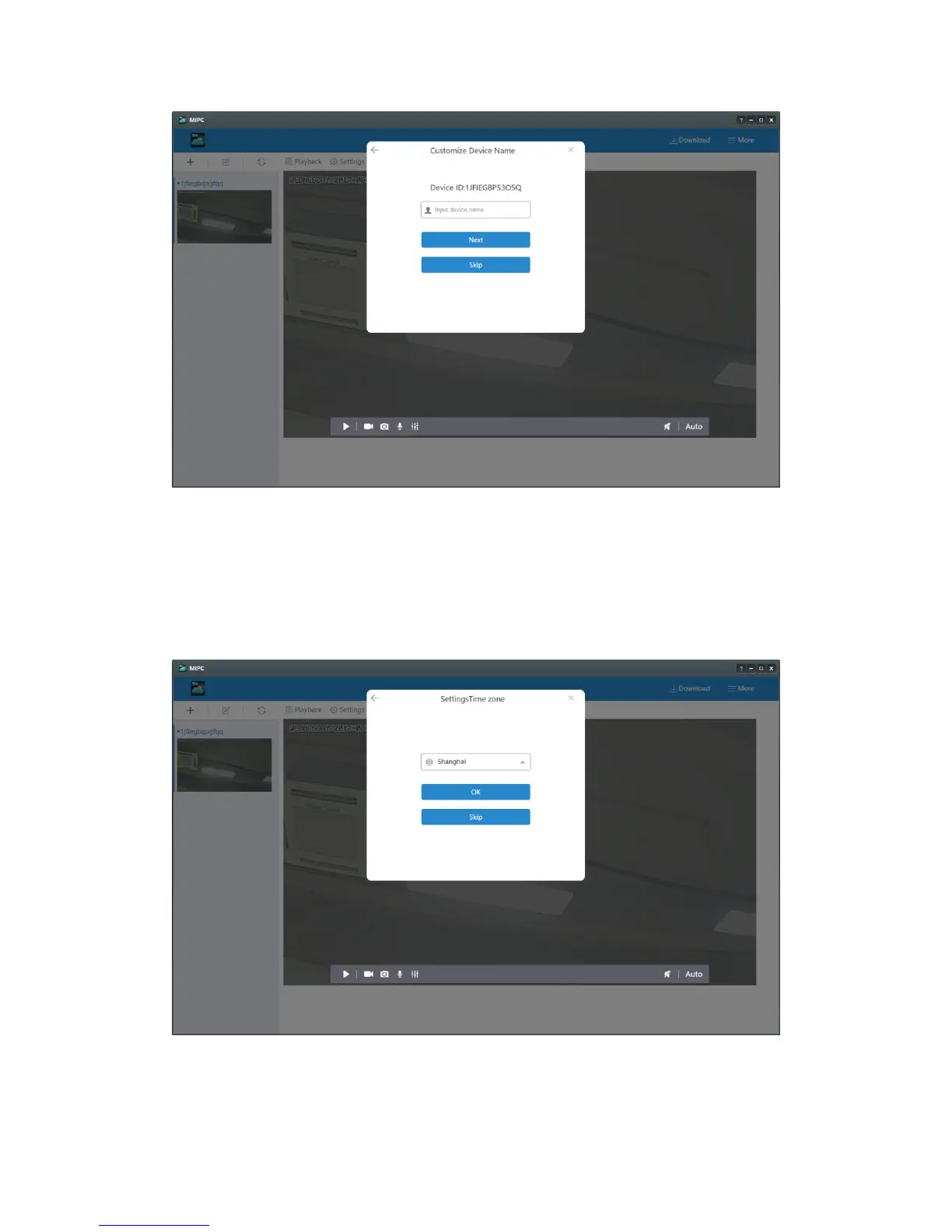
the previous step ”Customize Device Name”. Choosing the right time zone is to
ensure the right time for your camera showing (PC Setup-10). Once you choose
the time zone and click the icon ”OK”, you add this camera successfully. You will
find your camera at the left. In order to make the camera work normally, please
remove the Ethernet cable.
PC-10


 To Next Page