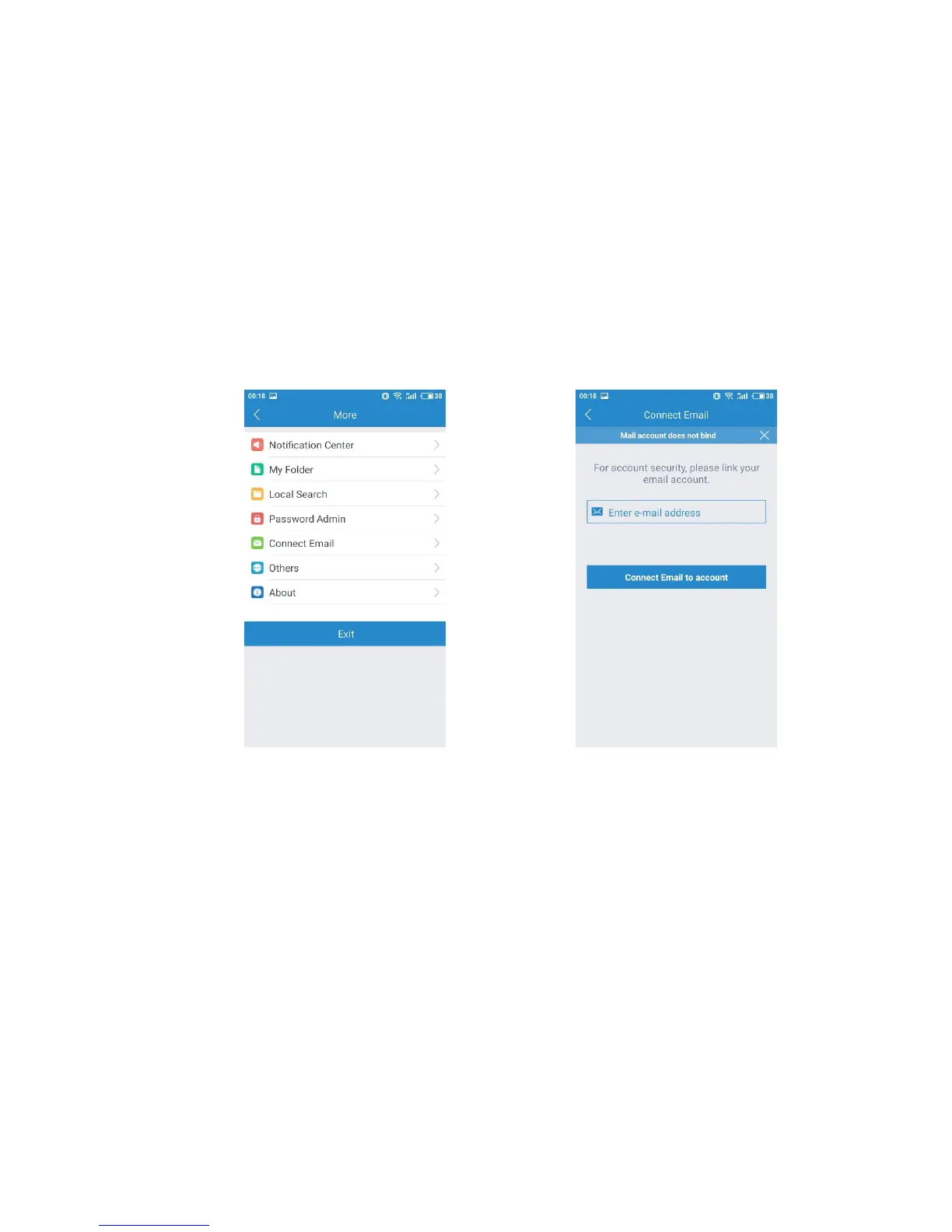
If you forget your account password, you can find it back via email. But if you would
like to use this function, you have to bind your email once you create an account.
Please log in your account, click the setting button at the top right screen and choose
“Connect Email”. After entering your email , you will receive a verification email from
MIPC support. Please click the link to verify your email.
Account Setting Page Connect Email
If you have several cameras connecting with your Wi-Fi network, you would like to
know if they work normally on your Wi-Fi network. Just log in your account, click the
setting button at the top right screen, and choose “Local Search” to find your camera.


 To Next Page