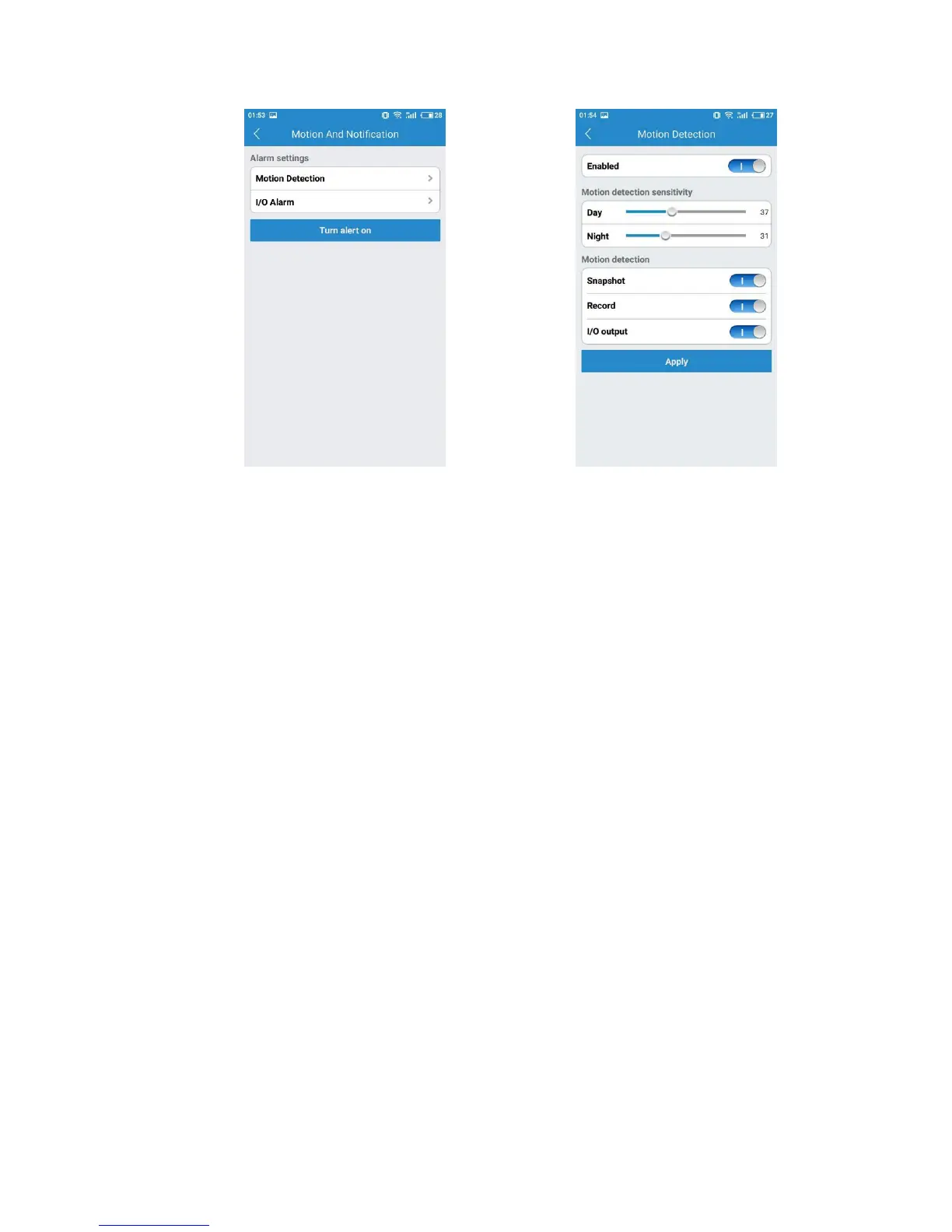
The Schedule Alerting tab enables you to specify the days and times of the week
when you want to receive alerts. An alert would be triggered based on detected
motion. At times when you do not expect there to be movement around your home
or office, you may wish to schedule an alert.
Under the Schedule Recording tab, you have the ability to enable recordings based on
two different options: 24/7 and Scheduled. You should enable one of these options if
you wish to schedule recording times automatically.
A Scheduled Recording gives you control over the times that you actually record by
scheduling a specific times. You will be able to schedule up to four different recording
sessions.
For each schedule, you can set a beginning time and an ending time, and specify the
days of the week, the app should generate an alert if motion is detected.


 To Next Page