You can control the wireless camera move left, right, up and down through using
directional controls. These controls are only available as you move the mouse to
hover over the display edges (top, bottom, left and right in the live video window).
Now all cameras provide the full range of rotation, panning, tilting etc.
Note: The screen can’t be zoomed on the computer.
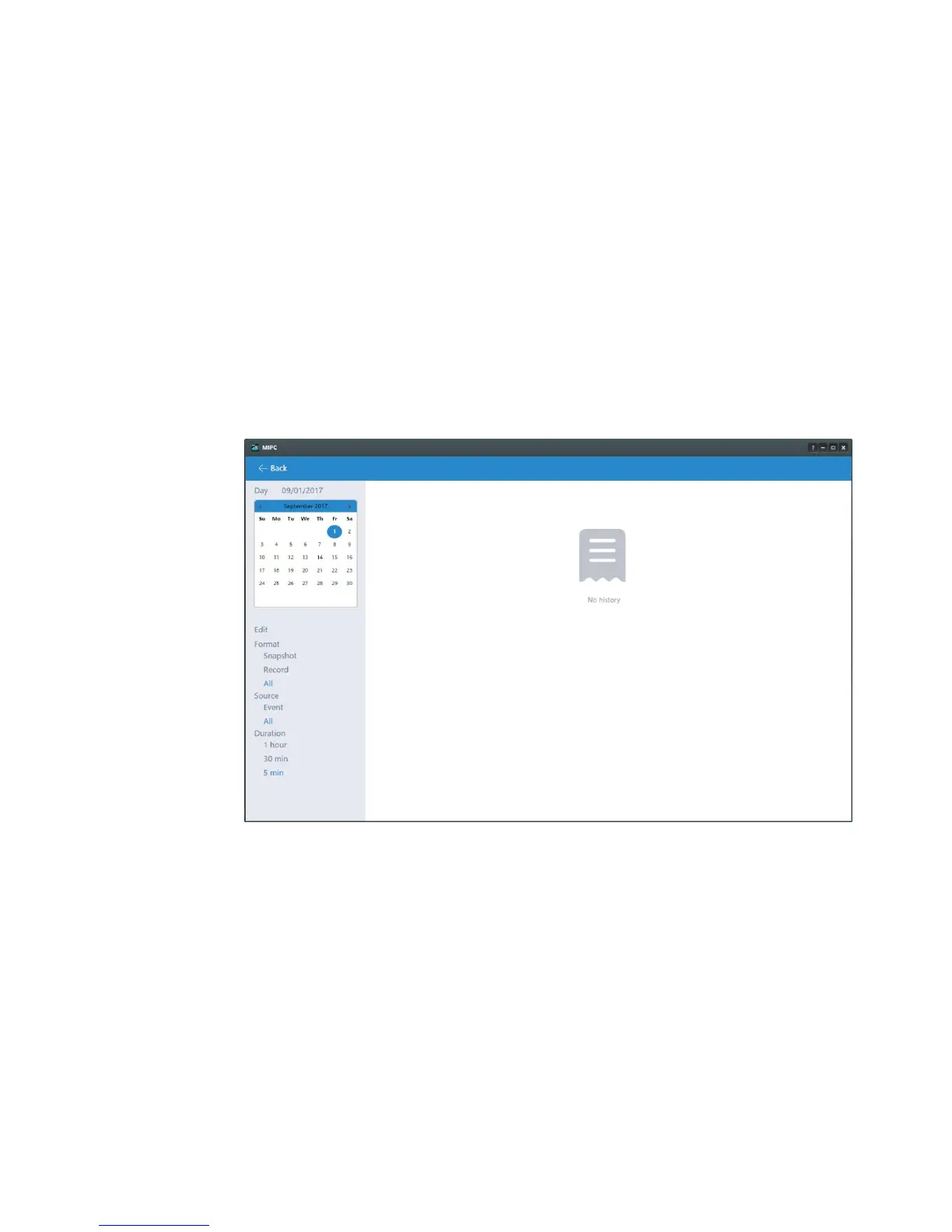
If you do not have an SD card in your camera, this will be a blank screen. If you insert
an SD card in your camera and you already captured videos, you will see a list of
videos on this interface.
Day: Quickly view video time
Edit: Delete the video
Snapshot: Clicking on one of the pictures will open up the image into a separate pop
up, making it larger and easier to see.
Event: Display motion detection video
Duration: Select the length of each video recording, the default is half an hour.
As for the Settings and More, please refer to Device Settings and Account Settings in
the third part of the manual.


 To Next Page