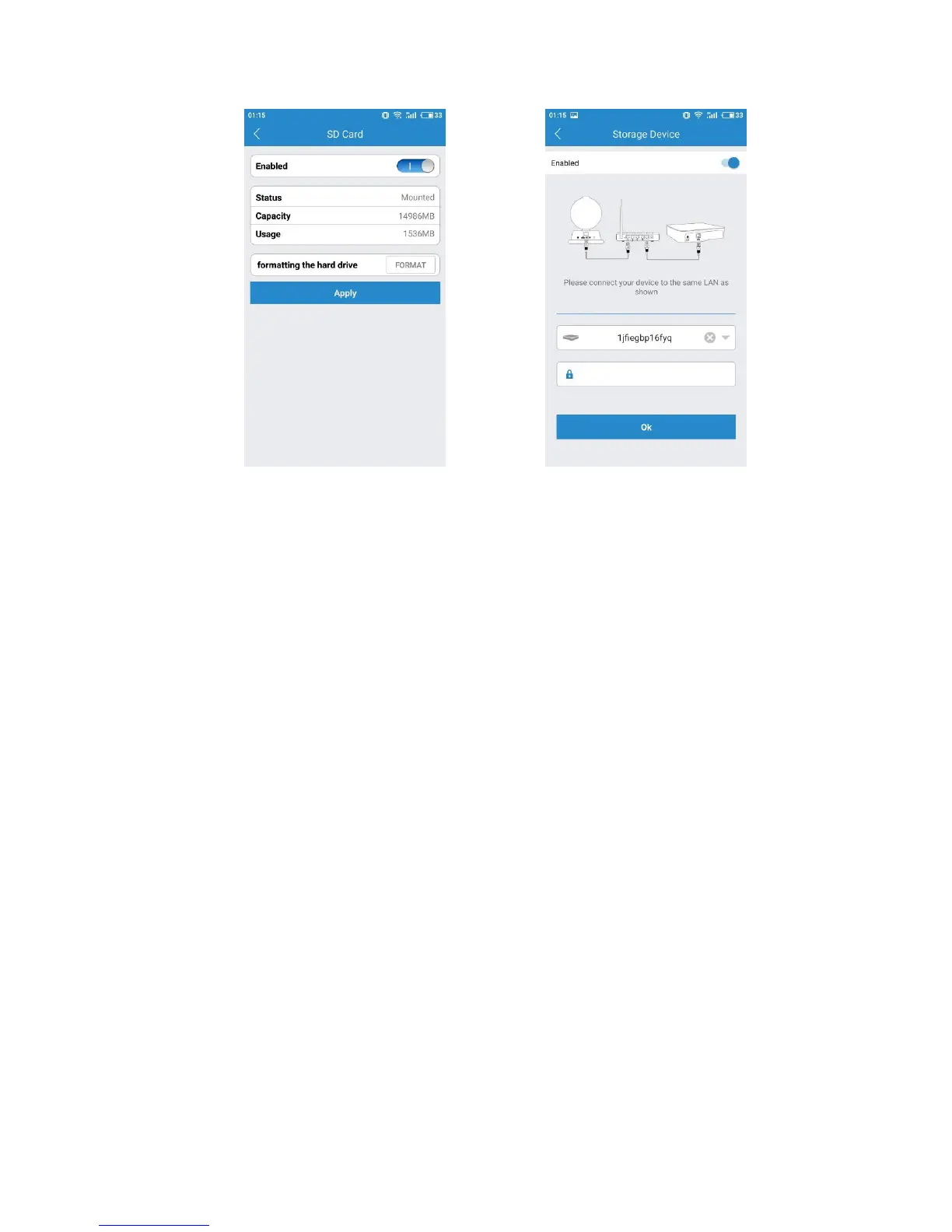
If you would like to use the storage device option, you have to get a LeFun Cloudbox.
The cloudbox is an ideal DIY security solution for homes and small business that
require the recording of many hours of continuous video.
To use a cloudbox, you must first connect the cloudbox to the same network which
your camera are connected. Once you have confirmed the cloudbox is connected, you
need to enter the cloudbox id and password and authorize it to record in the storage
device tab.
LeFun Cloud IP Camera supports motion detecting and sending real time alerts to
users. The camera can take a snapshots, record a video and trigger and alert when it
is detect motions.
The Motion and Notification Tab offers two options to configure what the camera
should do if and when motion is detected in the covered area: Motion Detection and
I/O Alarm.
In this manual, we will only introduce Motion Detection only. When you are going to
set up the motion detection function, please click the button “Turn alert on” first
(when the button become “Turn alert off”, it means that the function of message
alerts is active now), or you will fail to set it up. Then, click the Motion Detection and
go into the setting interface.


 To Next Page