16
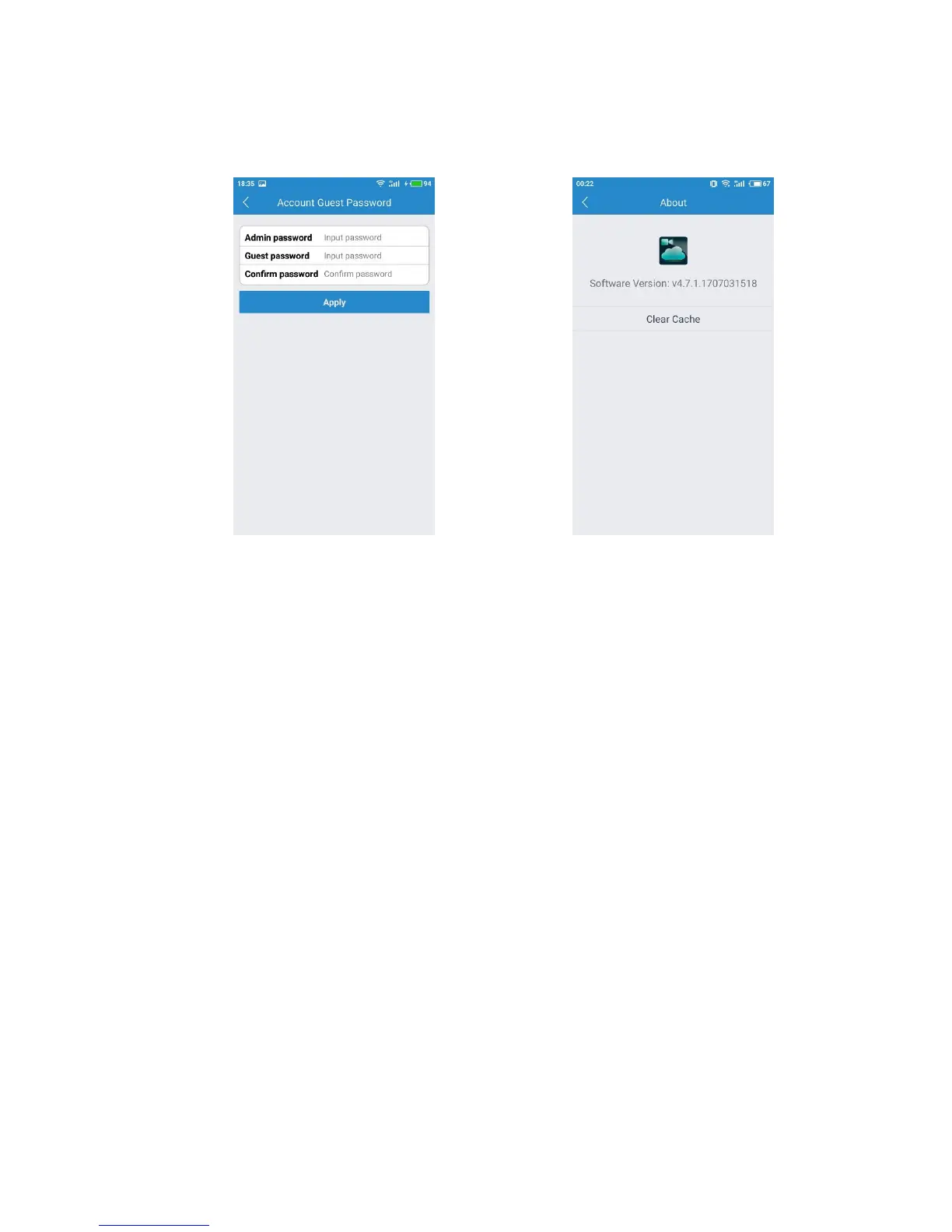
With this account guest password, you family or friend can log in your account, but
they do not have any rights to change your account settings and camera settings.
Meanwhile, they do not have the right to use the mic of the app.
Password Guest About
At the bottom of the screen, there is a Clear cache button. Click this to clear the cache
on your mobile device. The original snapshots and/or videos stored on either your SD
card or your Storage Device are not deleted when you click Clear Cache. This option
relates only to the mobile device and the cache that has been stored on it (either
manually taken or downloaded).
3.2. Watch a Camera’s Live Video
To view a camera’s live video, touch a preview picture. Initial display will show a
navigation bar with buttons of record, snapshot, microphone, speaker and image
settings. The navigation bar will disappear after two seconds. Touch anywhere on the
live view to activate it again.
When you would like to record in a camera’s live video, please click the record
button at the bottom of the screen. You can find these videos on “My folder”
when there is an sd card.
If you would like to get a snapshot, please click the camera icon to create a
snapshot image of the current view.


 To Next Page