5
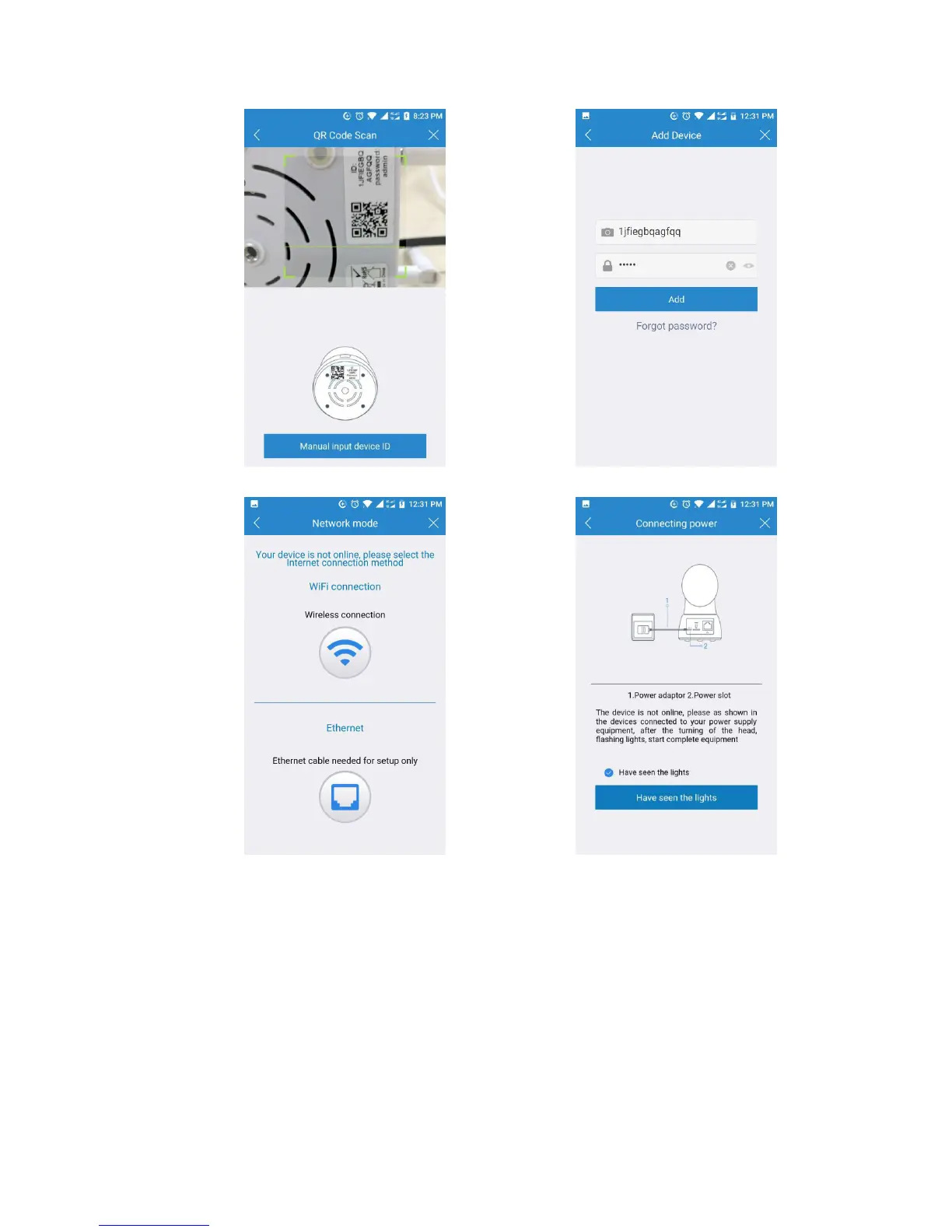
Figure 5 Figure 6
Figure 7 Figure 8
8. Please press the RESET button 5-10 seconds to reset the camera (If you have a
LeFun C2 IP Camera, the reset button is at the bottom of the camera; if you have
a LeFun C6 IP Camera, the reset button is at the back of the camera). After
hearing the voice prompts and the light starts flash red and green, click the
“Next” button (Figure 9);
9. Then the Wi-Fi network name will automatically display. Please input your Wi-Fi
password and click the “Next” (Figure 10);
10. It will direct you the connection page (Figure 11). In order to make the camera
connect your Wi-Fi successfully, please confirm your phone has connected the
2.4G Wi-Fi that you would like the camera to connect, and keep your phone


 To Next Page