10
System Connections
Do not connect the power cord until all other connections have
been made.
Ensure that you observe the color code when connecting audio and
video cables.
Connecting to the Power Supply
Connect the plug of the power cord on the rear panel of t he unit t o the
AC100~240V wall outlet.
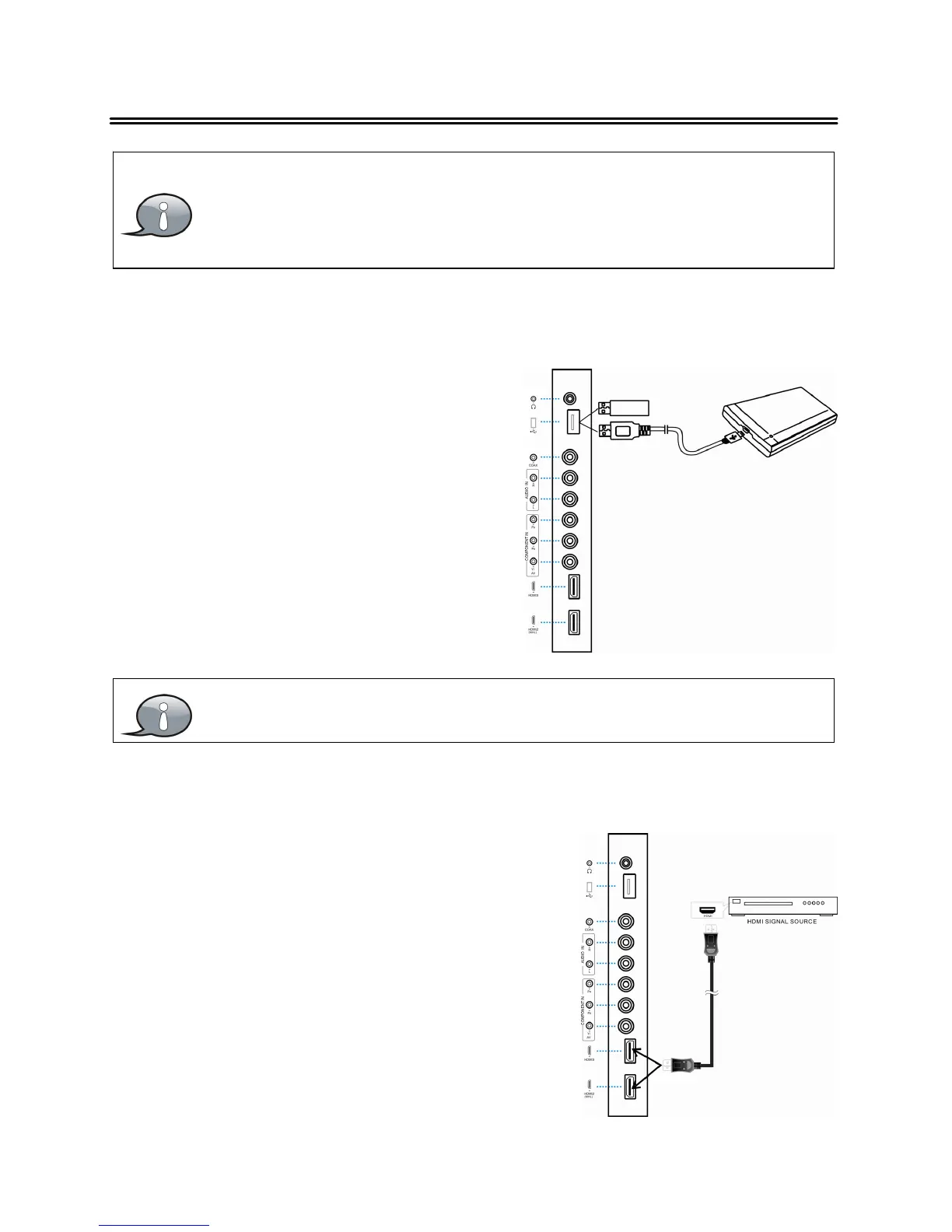
Connecting a USB Device
This unit is designed with a USB port s o that
you can connect your USB device for media
play, record or software upgrade.
Make sure that the desired file for media play or software upgrade is
stored in the USB device before connection.
Connecting to an External HDMI Signal Source
1. Connect an HDMI signal source to one o
the unit
and the HDMI signal source.
3. Press INPUT then direction buttons to select
HDMI 1, HDMI 2 or HDMI3 mode, and then
press the ENTER button to confirm.
NOTE: This unit supports the MHL(HDMI2) and
ARC(HDMI1) functions.



 To Next Page