15
TV Operation and System Setup
Press the MENU button t o displa
the setup menu. It includes different
cate
ories, such as Picture, Audio, Time, Setu
, Lock and Channel.
You can change the category using the
◄►
buttons and press the ENTER
button or ▼button to enter it.
Using the ▲▼ buttons and press ENTER button to enter the submenu of each
option in the category. Press the MENU button to exit the submenu and return
to the previous menu.
To leave the system settings, press the EXIT button.
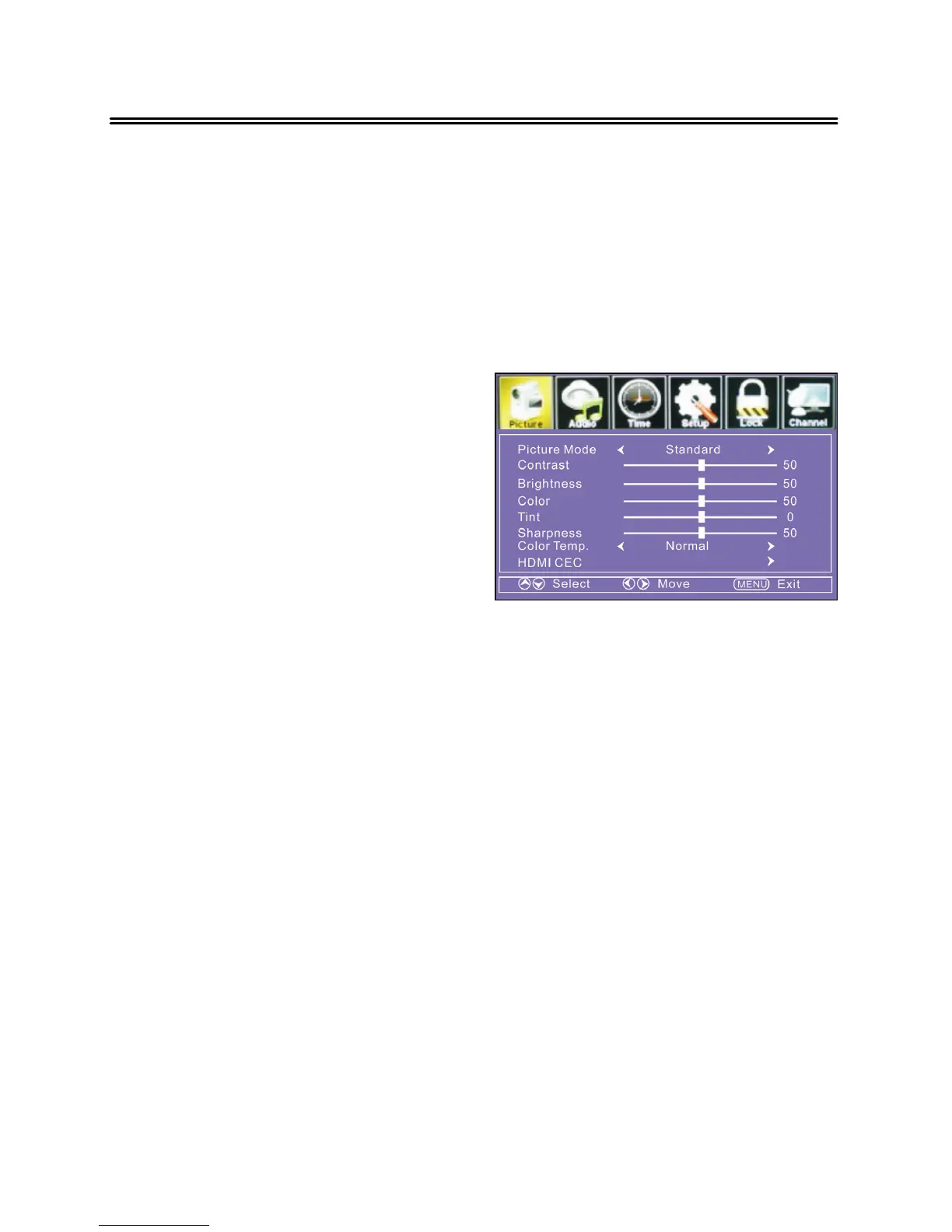
Picture
PICTURE settin
includes Picture Mode,
Contrast, Bri
ness,
etc.
Picture Mode
Press the ▲▼ buttons to select Picture Mode and then
namic, Mild or User.
Contrast/ Brightness/ Color/ Tint/ Sharpness
Press the ▲▼ buttons to select Contrast
ress the ENTER or
►
button to enter it, then
ust
the level.
Color Temp.
Press the ▲▼ buttons to select Color Tem
ou
can select Normal, Warm or Cool.
HDMI CEC
Press the ▲▼ buttons to select HDMI CEC, and then
ress the
►
button to enter
the submenu.
INlin
Audio Receiver
Press the ▲▼ buttons to select, and
ress the
◄►
buttons to turn on or of
Root Menu ( These functions are available onl
in HDMI mode )
Press the ▲▼ buttons to select Connect



 To Next Page