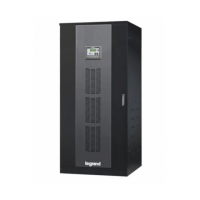
Even without connections on UPS terminals, residual voltages may exist on these
terminals and inside the UPS. Do not touch these parts.
If you work on terminals; all circuit breakers in the input/bypass distribution panel,
and all battery circuit breakers (F5 inside UPS and in the external battery cabinet, if
any) should be brought to “OFF” position.
9.2.1. Start-Up UPS With Internal Battery
1. Put the battery fast fuses into the battery circuit breaker on the UPS (F5). Do not close the circuit breaker yet!
2. Switch the auxiliary supply circuit breaker on the distribution panel to “ON” position.
3. Switch the mains supply circuit breaker on the distribution panel to “ON” position.
4. Switch the auxiliary supply circuit breaker on the UPS (Q4) to “ON” position.
5. Switch the mains supply circuit breaker on the UPS (Q1) to “ON” position.
6. Switch the inrush circuit breaker on the UPS (Q6) to “ON” position.
7.Touch Battery icon to see Battery / DC menu measurement. Do not close the battery circuit breakers (F5)
until the DC reaches +/- 372V.
8. Switch the output circuit breaker on the UPS (Q2) to “ON” position.
9. Switch the output circuit breaker on the distribution panel to “ON” position.
Afterwards UPS starts to supply the loads.
9.2.2. Start-Up UPS with External Battery
1. Put the battery fast fuses into the battery circuit breaker on the UPS (F5). Do not close the circuit breaker yet!
2. Switch the auxiliary supply circuit breaker on the distribution panel to “ON” position.
3. Switch the mains supply circuit breaker on the distribution panel to “ON” position.
4. Switch the auxiliary supply circuit breaker on the UPS (Q4) to “ON” position.
5. Switch the mains supply circuit breaker on the UPS (Q1) to “ON” position.
6. Switch the inrush circuit breaker on the UPS (Q6) to “ON” position.
7. Switch the circuit breakers on the external battery cabinet to “ON” position.
8. For the rst start up after external battery cabinet installation, you need to check if no polarity inversion
between battery cabinet and UPS. You can control voltages with multimeter on external battery connection
terminals
9. Touch Battery icon to see Battery / DC menu measurement. Do not close the battery circuit breakers (F5)
until the DC bus reaches +/- 372V.
10. Switch the output circuit breaker on the UPS (Q2) to “ON” position.
11. Switch the output circuit breaker on the distribution panel to “ON” position.
Afterwards UPS starts to supply the loads.
9.2. Commissioning
After all connections and settings have been done, UPS can be started-up.
Do not leave the battery fuse package at the front of UPS. Otherwise the fans would be
blocked and UPS may overheat.
Do not close battery fuse holder F5 before starting Commissioning procedure Section 9.2
Mount the battery fast fuses into battery fuse holder on the UPS. Fast fuses indicators side
must be placed upper side of the holder.
Do not close battery fuse holder F5 before starting Commissioning procedure Section 9.2


 To Next Page
 Loading...