Mode Wire size in sq. mm./No. of runs Recommended input breaker
1 kVA – FM/FMI 2.5/3 16 A AC (C Curve)
2 kVA – FM/FMI 6.0/3 32 A AC (C Curve)
3 kVA – FM/FMI 10.0/3 40 A AC (C Curve)
6
RS-232 portUSB port Intelligent slot
Communication port:
1. AC input
2. Input circuit breaker
3. USB communication port
4. RS-232 communication port
5. SNMP intelligent slot (optional)
6. External battery connection
7. Output receptacles
8. Output terminal
5
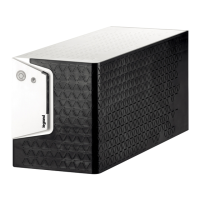
1 kVA FM 2 kVA FM 3 kVA FM
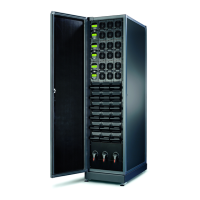
1 kVA FMI 2 kVA FMI 3 kVA FMI
4. INSTALLATION AND SETUP
Note: Before installation, please inspect the unit. Be sure that nothing inside the package is damaged. Please
keep the original package in a safe place for future use.
4-1. Rear panel view
UPS without ISO transformer
UPS with ISO transformer
4-2. Setting up the UPS
Step 1: UPS input connection
Plug the UPS into a 2-pole, 3-wire, grounded receptacle only. Please use recommended cable and breaker
for input.
Step 2: UPS output connection
• For socket-type outputs, simply connect the devices to the outlets.
• For terminal-type input or outputs, please follow the steps below, for the wiring configuration:
a) Remove the small cover of the terminal block.
b) Use AWG14 or 2.1 mm2 power cords.
c) Upon completion of the wiring configuration, please check whether the wires are securely affixed.
d) Put the small cover back to the rear panel.
Step 3: Communication connection
To allow for unattended UPS shutdown/start-up and status monitoring, connect one end of then communication
cable to the USB/RS-232 port and the other to the communication port of your PC.
With the monitoring software installed, you can schedule UPS shutdown/start-up and monitor UPS
status through a PC.
The UPS is equipped with intelligent slot for either SNMP or AS400 card. Installing either SNMP
or AS400 card in the UPS, will provide advanced communication and monitoring options.
Note: USB port and RS-232 port can’t work at the same time.






 To Next Page