49
Leica IP C
Operation 5
5. Operation
5.1 Control panel functions
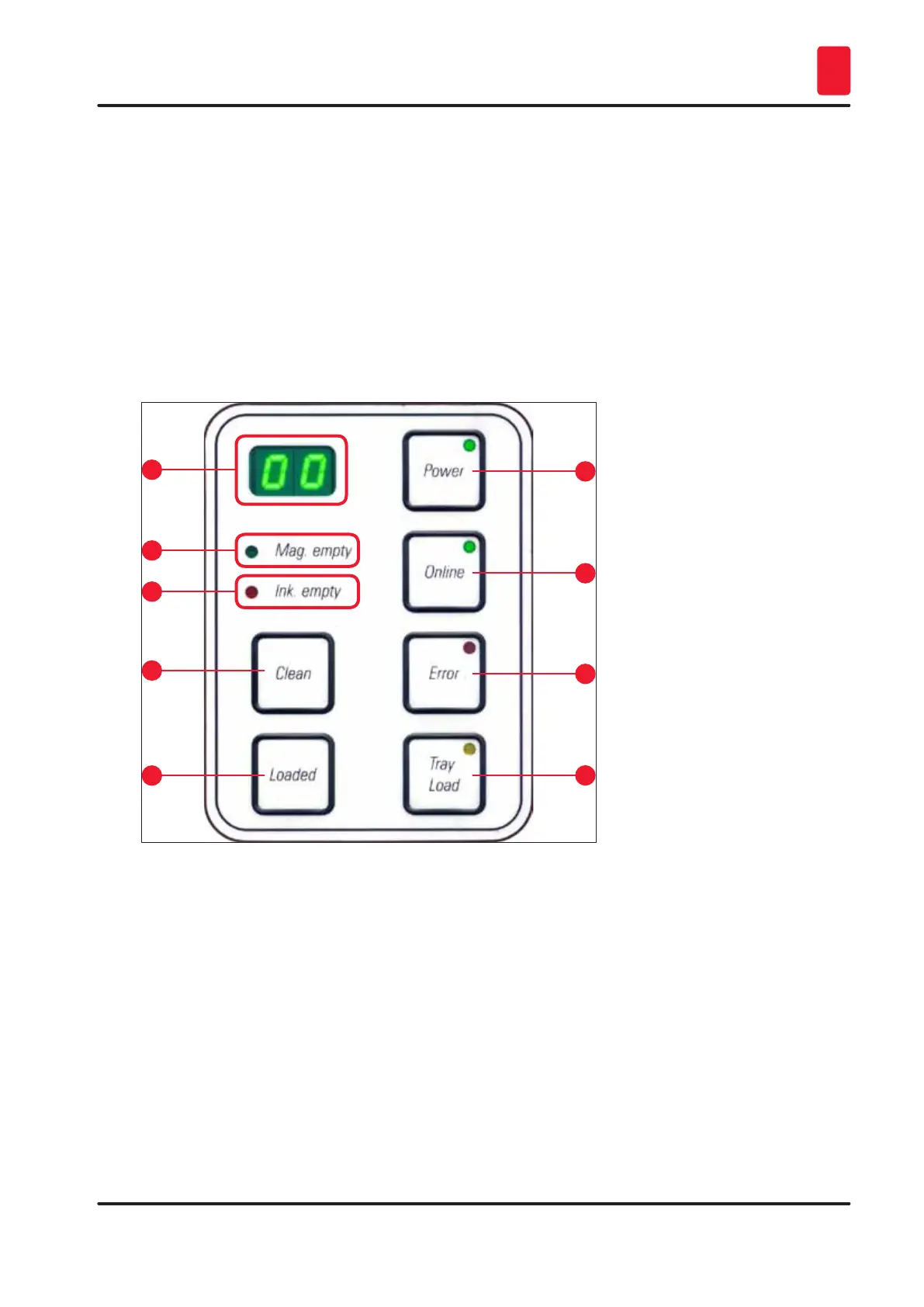
The control panel
• consists of a membrane keyboard with six pressure-sensitive keys (four of them with an LED, two LED
displays and a two-figure sevensegment display (→ "Fig. 42-1")),
• controls the printer functions and the print jobs that are defined via the control software,
• indicates current printer status and processes in progress,
• indicates errors and/or error messages,
• controls the (optional) automated unload station.
1
5
3
7
2
6
4
8
9
Fig. 42
MAG. EMPTY LED (→ "Fig. 42-2")
LED off:
• Magazines are full or up to that point no further cassette has been requested from a magazine that
has just been emptied.
LED flashing:
• Flashing LED and number on display indicate which magazine is empty.



 To Next Page