114 /
Setting the menu functions
Setting the menu functions
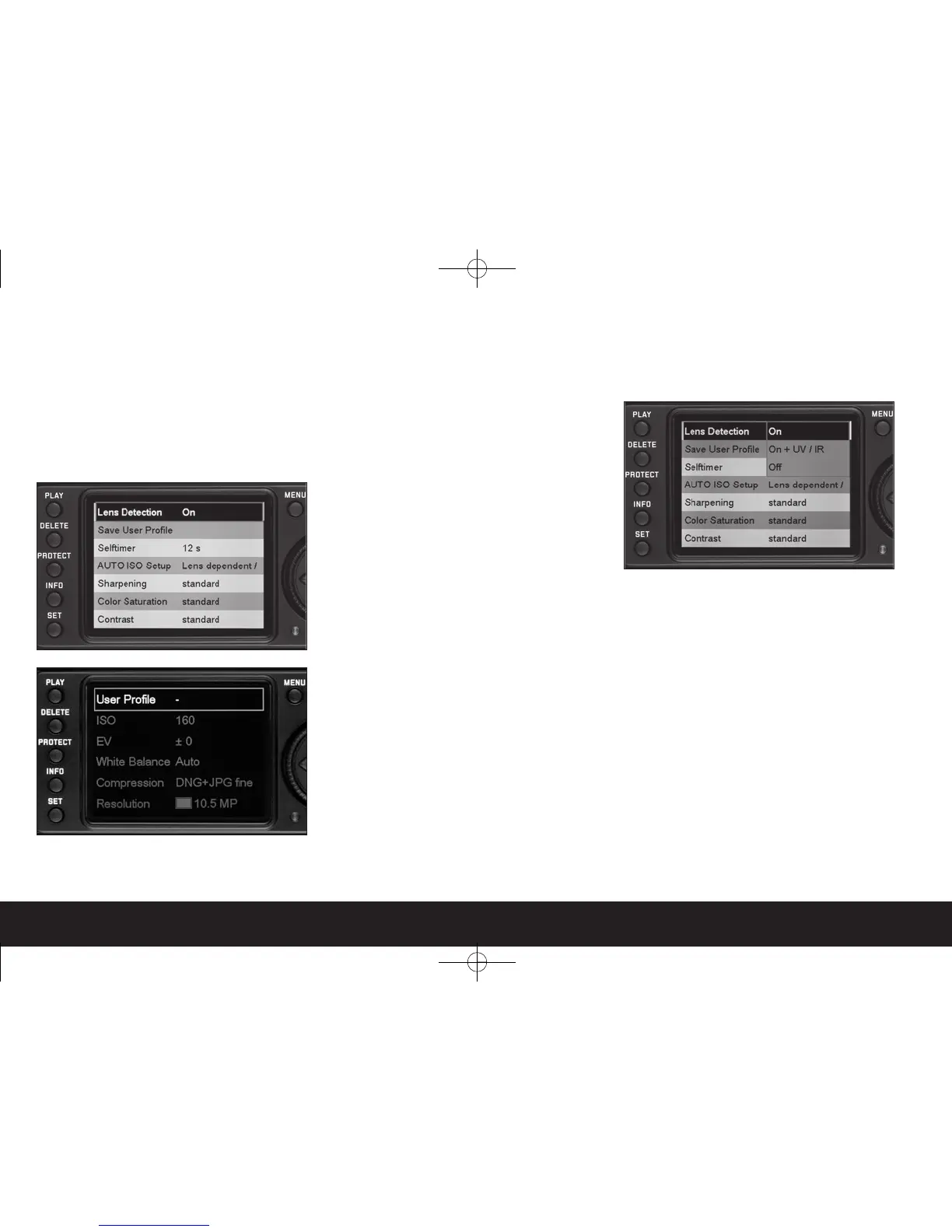
1. Call up the main menu using the
MENU
button
(1.29); call up the picture parameters menu using
the
SET
button (1.22).
• The first 8 items then appear in the main menu
(or all 5 in snapshot mode
S
) and all items in the
picture parameters menu.
Notes:
• The picture parameters menu is
- only accessible in recording mode (see p. 106),
and
- only available when using aperture priority (see p.
128) and manual (see p. 131) exposure modes. In
snapshot mode
S
, the
SET
button has no func-
tion.
• If the DELETE or PROTECT functions are activated
(see p. 143/144), the main menu cannot be
accessed.
2. You can select the desired menu item either by
turning the setting ring (1.30) or by pressing the
up/down direction key (1.31).


 To Next Page