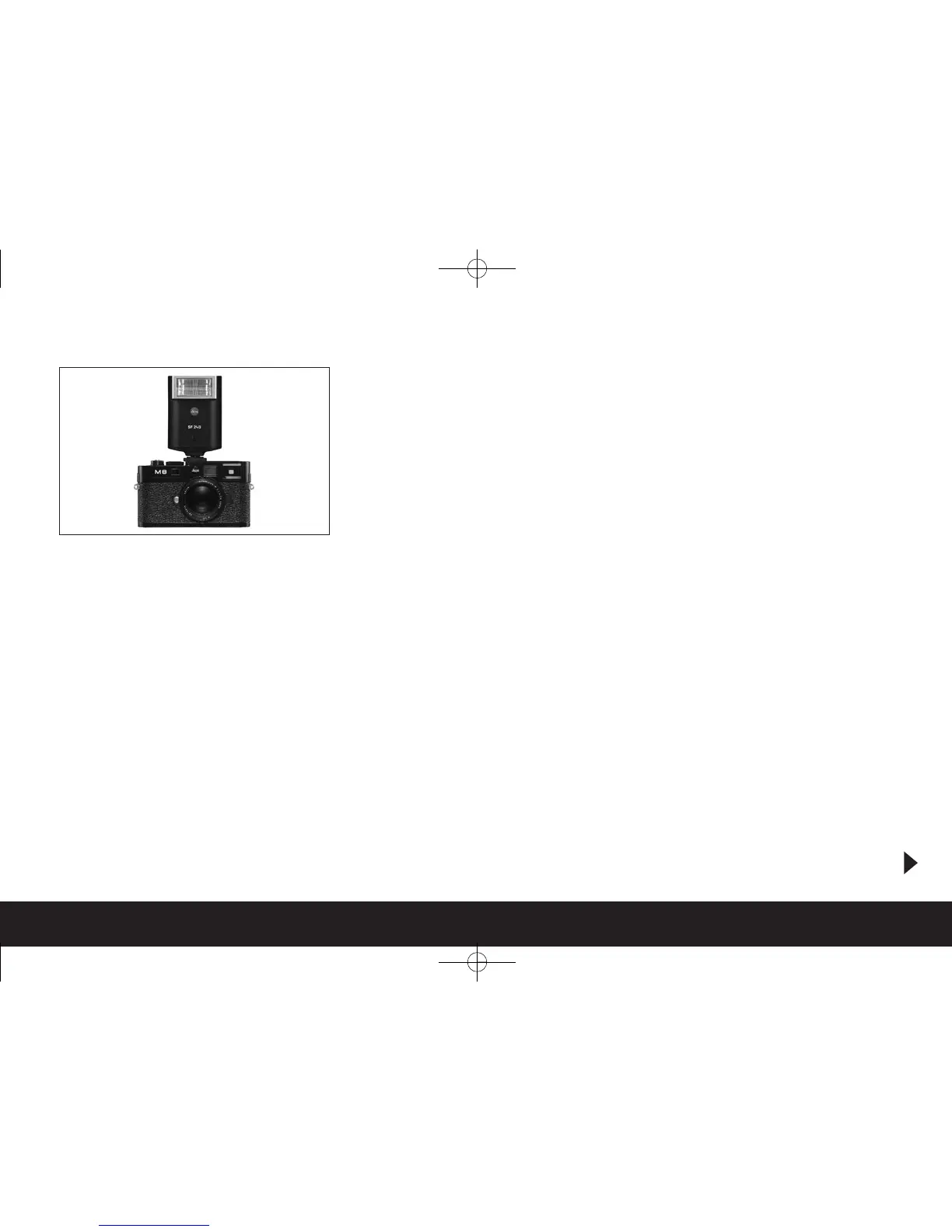
Attaching the flash unit
When attaching a flash unit to the LEICA M8.2 flash
shoe (1.21), you should ensure that the foot of the
flash unit is fully inserted and the clamping nut (if fit-
ted) is tightened to prevent it accidentally falling out.
This is particularly important for flash units with addi-
tional control and signal contacts, because if the flash
shoe moves from its position in the flash shoe the
necessary contacts can be broken, leading to mal-
functions.
Note:
Before attaching the flash, the camera and the flash
unit must be turned off.
Flash mode
Fully automatic camera-controlled flash operation is
available for the LEICA M8.2 when using system-com-
patible flash units as described in the previous section,
in all three exposure modes – snapshot mode
S
, aper -
ture priority mode
A
and manual mode.
In addition, automatic illumination regulation is per -
formed in all three exposure modes. This means that
in order to ensure a balanced relationship between
flash and other lighting at all times, the flash power is
reduced by up to 1
2
/
3
EV as ambient brightness in -
creases. However, if the ambient brightness plus even
the shortest possible flash sync speed of
1
/
180
s would
cause overexposure, the flash will not be fired in aper-
ture priority mode. In such cases the shutter speed is
governed by the ambient brightness and is shown in
the viewfinder.
In aperture priority
A
and manual mode, but not in
snapshot mode
S
, the LEICA M8.2 also allows you to
use other, more artistically interesting flash tech -
niques such as synchronization of the flash firing with
the second instead of with the first shutter curtain
and of flashes with longer shutter speed than the
standard sync speed of
1
/
180
s. These functions are set
on the camera using the menu (for more details, refer
to the relevant sections below).
In addition the LEICA M8.
2 loads the sensitivity set-
ting to the flash unit.
This allows the flash unit, provided it has received
such information and the aperture manually set on
the lens is also input to the flash unit, automatically to
adjust its range values accordingly. The sensitivity
setting cannot be changed at the flash unit.
Flash mode / 135


 To Next Page