MS60/TS60, Operation
44
Detaching the
Tablet from the
Holder/Pole Step-
by-Step
6.
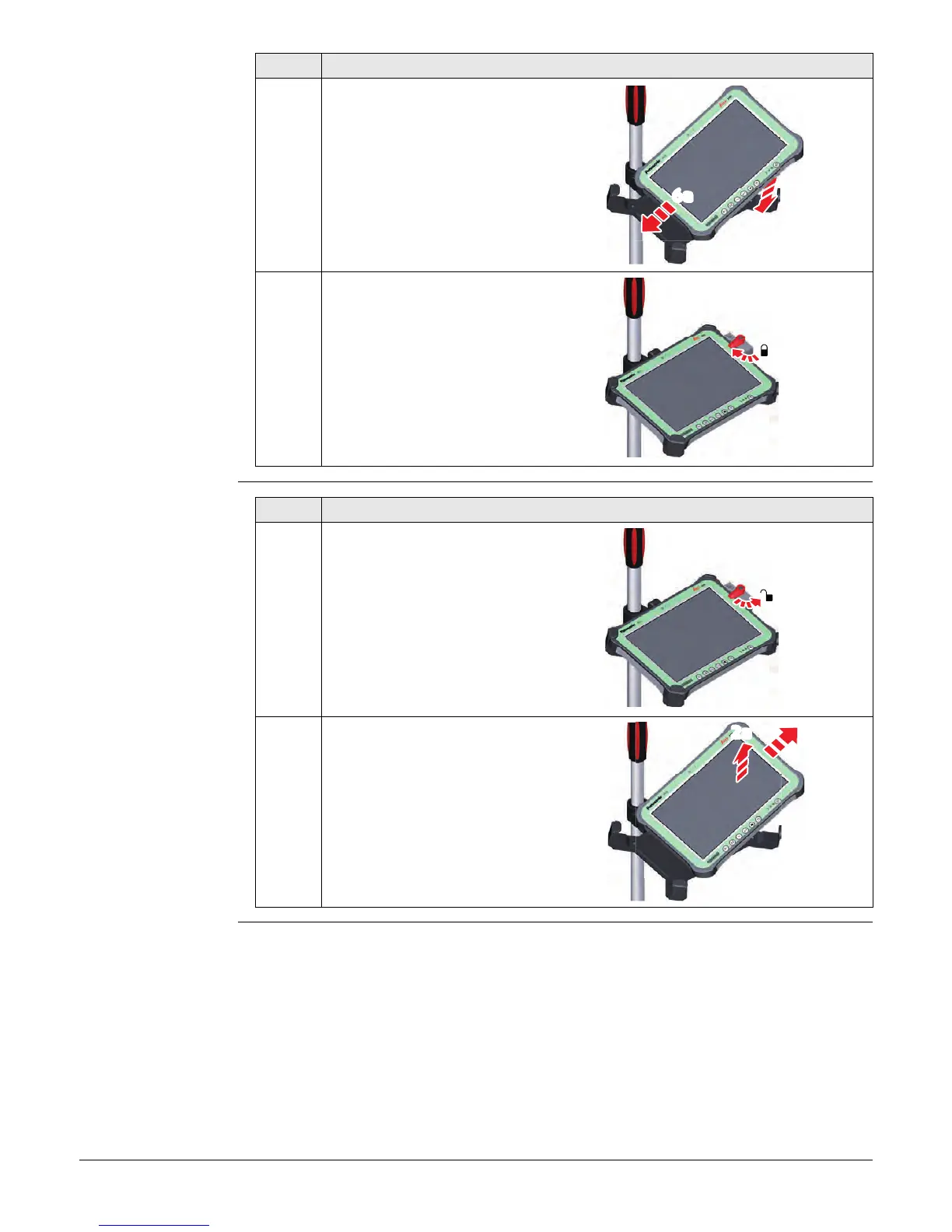
Lower the left side of the tablet
and slide it from right to left into
the mounting brackets of the
holder.
7.
After placing the tablet onto the
mounting plate, set the locking
lever to the locked position (see
illustration).
Step Description
6b
6a
009246_001
7
009248_001
Step Description
1.
Set the locking lever of the
GHT78 holder to the unlocked
position.
2.
Lift the right side of the tablet
and slide the tablet to the right
and out of the holder.
1
009249_001
2b
2a
009250_001


 To Next Page