MS60/TS60, Operation
50
4.11 Working with the Memory Device
• Keep the card dry.
• Use it only within the specified temperature range.
•Do not bend the card.
• Protect the card from direct impacts.
Failure to follow these instructions could result in data loss and/or permanent damage
to the card.
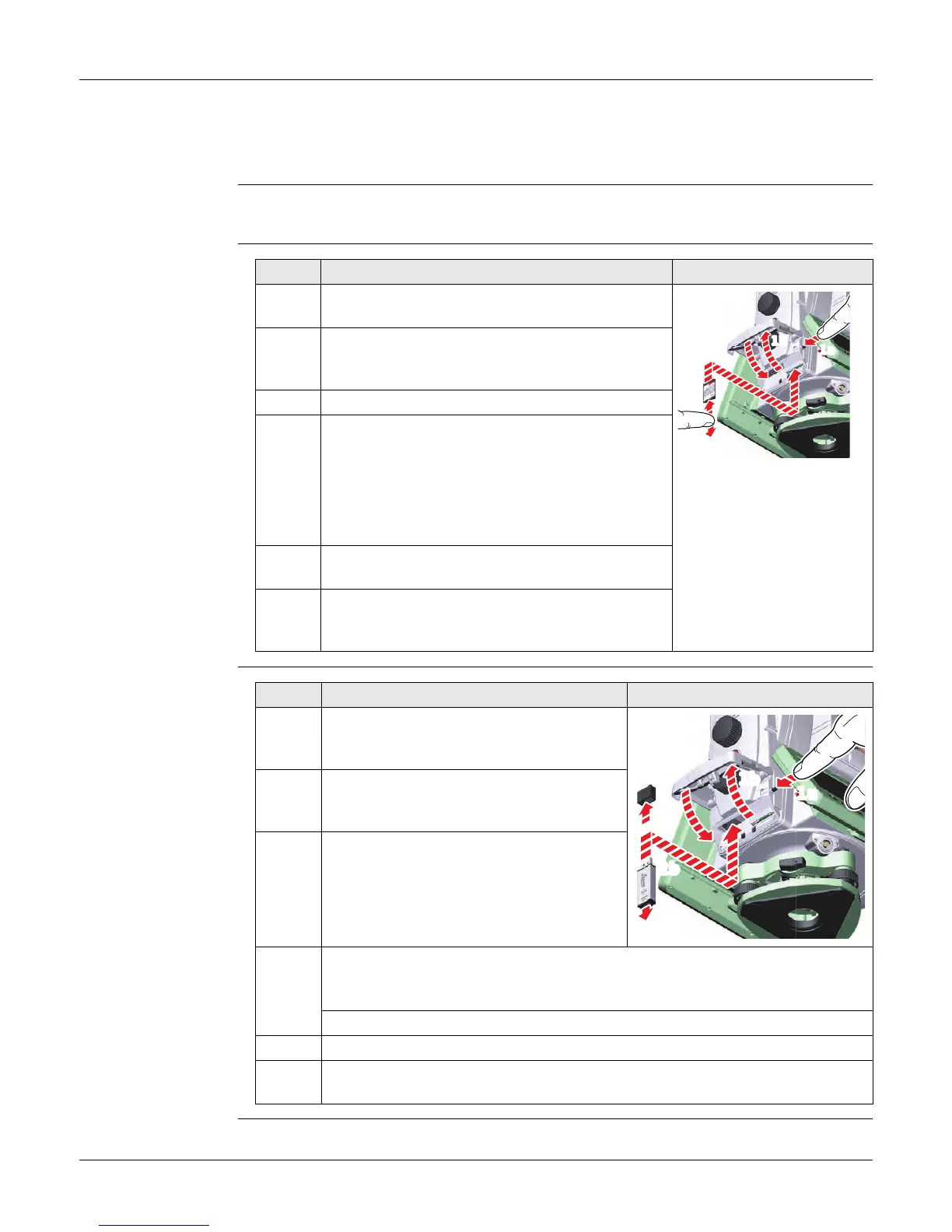
Insert and Remove
an SD Card Step-by-
Step
Insert and Remove
a USB Stick Step-by-
Step
Step Description
The SD card is inserted into a slot inside the
Communication side cover of the instrument.
1. Press the button on the side of the Communica-
tion side cover to unlock the communication
compartment.
The lid opens automatically.
2. To insert the SD card, slide it firmly into the
SD slot until it clicks into position.
The card must be held with the contacts
at the top and facing toward the instru-
ment.
Do not force the card into the slot.
3. To remove the SD card, gently press on the top
of the card to release it from the slot.
4. Close the lid by pushing the door down. Push
the door on the marked part in the middle of
the door.
008698_001
1a
1b
2
4
(3)
Step Description
The USB stick is inserted into the USB
host port inside the Communication side
cover of the instrument.
1. Press the button on the side of the
Communication side cover to unlock the
communication compartment.
The lid opens automatically.
2. To insert the USB stick, remove the cap of the USB stick.
Hold the USB stick with the Leica logo facing you and slide it firmly into the
USB host port until it clicks into position.
Do not force the USB stick into the port.
3. To remove the USB stick, slide the USB stick out of the port.
4. Close the lid by pushing the door down. Push the door on the marked part
in the middle of the door.
008699_001
1a
1b
2b
2a


 To Next Page