Applying frame or line averaging, reduces the imaging speed.
Check the pixel dwell time
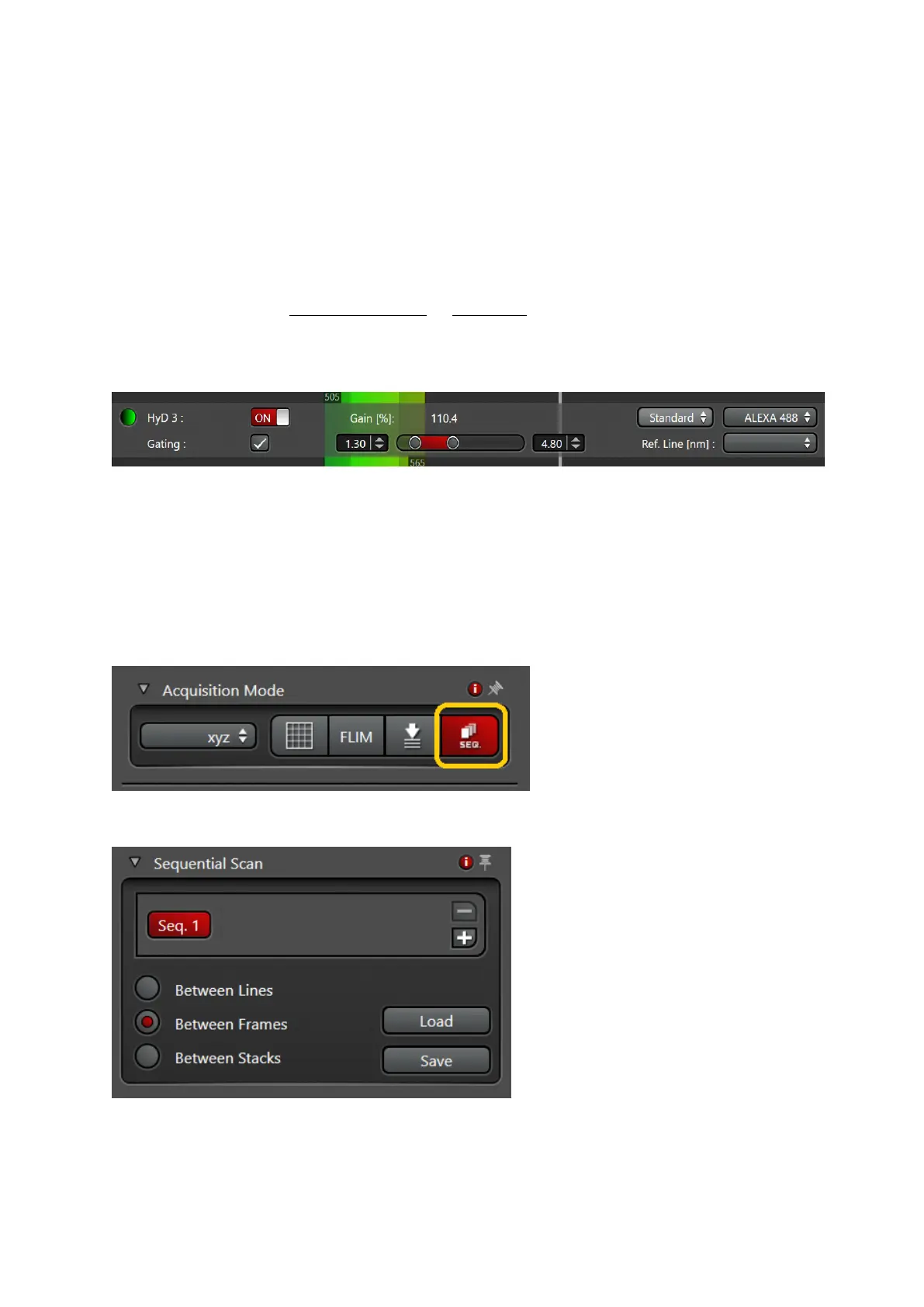
• Gated detection (Useful for removing Reflection or background auto
fluorescence)
Note: Only possible using HyD detectors!!!
• Used to reduce auto fluorescence or reflection with shorter lifetimes than actual
fluorescence
• activate gating
• choose the detection window “in ns” for your fluorophore, adjust during live scan
(reflection and Auto-fluorescence should have very short lifetimes)
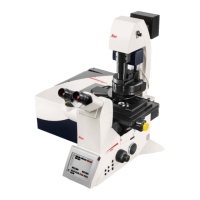
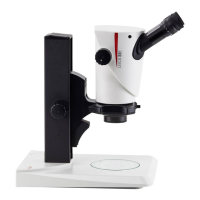
• Setting up sequential scan
• Select ‘SEQ’ symbol in the ‘acquisition mode’ menu
• Select Line, Frame or Stack sequential
• Set up first configuration


 To Next Page