5
User Interface
Sprinter 50 - 1.0.0en
EN
DE
FR
ES
NO
SV
FI
DA
IT
PT
NL
4. User Interface
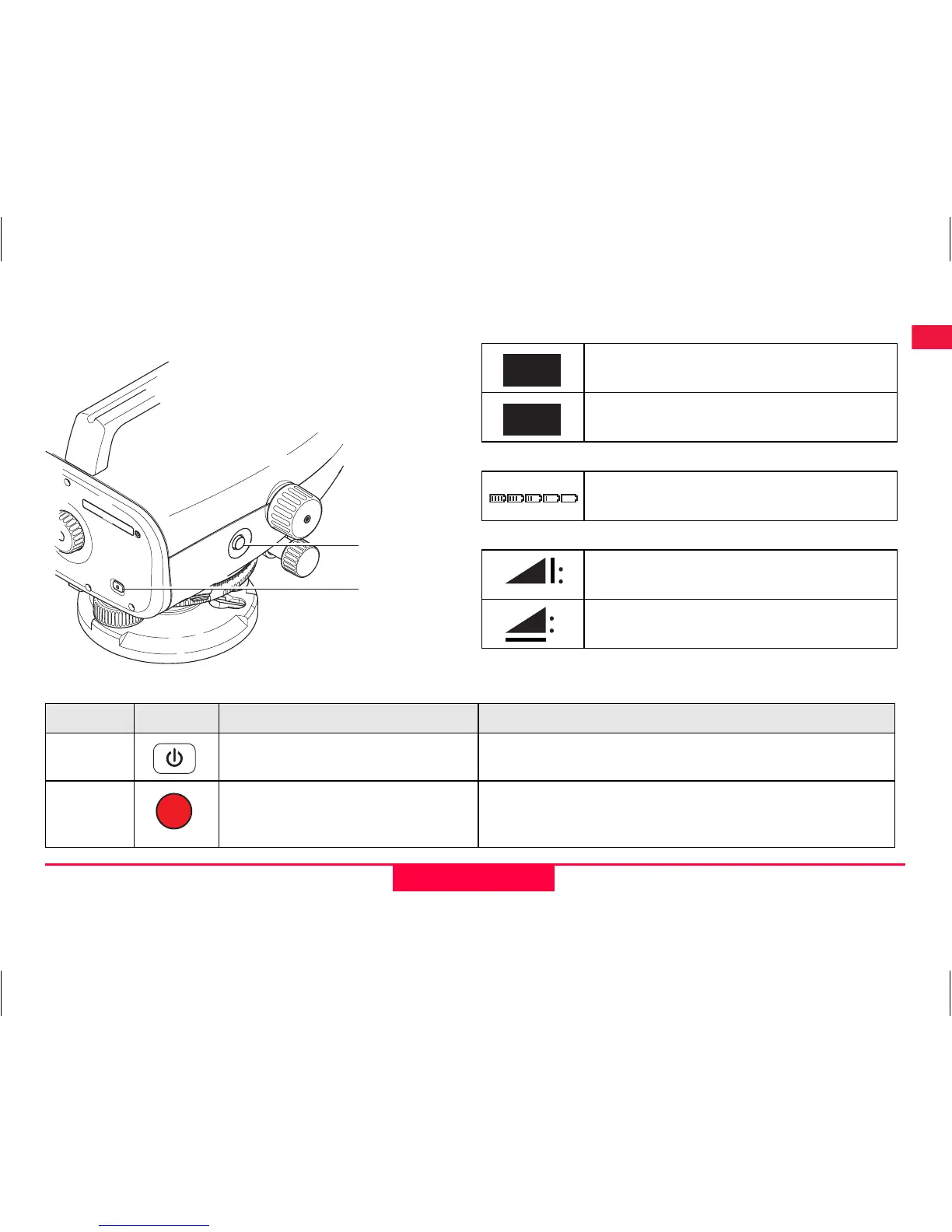
Modes
Icons
Measurement display symbols
)
Electronic collimation error can be corrected with
the on-board Adjustment program.
b
a
Measurement Mode
Adjustment Mode
Battery icon at various capacities
Measured staff height
Measured distance
MEAS
ADJ
Key Symbol 1
st
level functions 2
nd
level functions
a) On/Off
Power On or Off switch NONE
b) MEAS
Measuring trigger key / single
press to decline adjustment
result
Press and hold for 3 seconds to start Adjustment
program / to accept measurement and adjustment
result


 To Next Page