73
Leica TP1020
10. Warning and Error Codes – Troubleshooting
10.4 Measures to remove specimen material in case of prolonged power failure
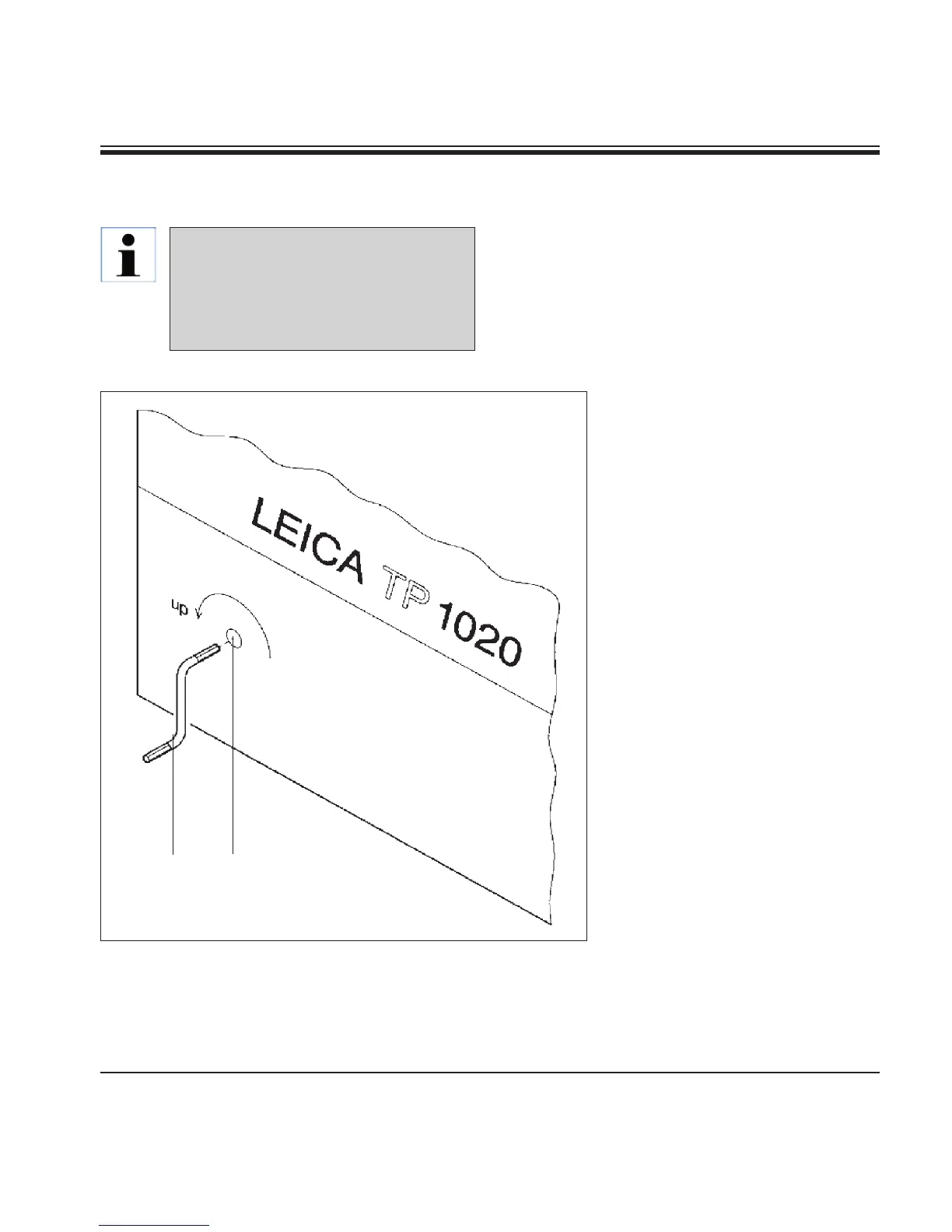
Fig. 23
2
1
• Switchtheinstrumentoffatthemainpower
switch.
• Removethecrankhandle(1) from the clip and
insert it into the access port (2) on the left side
of the instrument.
Removing the tissue basket
• Lift the carouselrotatingthe
crank handle in the direction of
the arrow until the lower end of
the basket is above the rim of the
processing station.
• Hangontothecrankhandleto
keep it securely in its position
and remove the tissue basket.
In case of a prolonged power failure
the tissue can be removed from the
instrument manually and also be re-
located to the next station by entirely
manual operation.


 To Next Page