2
ContentsContents
1. Application 4
1.1 Intended use 4
1.2 Improper use 4
1.3 Safety Instructions 4
1.4 Power supply 4
2. Technical data 5
3. Transporting 5
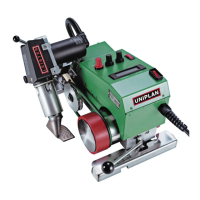
4. Your UNIPLAN 300 / 500 6
4.1 Specification plate and identification 6
4.2 Scope of delivery (standard equipment in the case) 6
4.3 Overview of device parts 7
4.4 Power supply interruption 8
5. UNIPLAN 500 control panel 8
5.1 Overview of the UNIPLAN 500 control panel 8
5.2 Function keys 8
5.3 LED status display 9
5.4 Display symbols for the UNIPLAN 500 status display 10
5.5 Display symbols of the function display 10
5.6 Display symbols for the UNIPLAN 500 working display 10
5.7 Display symbols of the menu selection (Display 42) 12
6. Setup menu on the UNIPLAN 500 control panel 12
6.1 Setting up, saving, and selecting recipes (Save Recipes) 12
6.2 Entering recipe names 13
6.3 Basic setting and Advanced Mode 14
6.4 Operating readiness (Eco Mode) 14
6.5 Duty Info (only in Advanced Mode) 15
6.6 General Info (only in Advanced Mode) 15
6.7 Warnings (only in Advanced Mode) 15
6.8 Machine Setup (only in Advanced Mode) 15
6.9 Displaying current values – Application Mode (only in Advanced Mode) 16
6.10 Set Values (only in Advanced Mode) 16
6.11 Reset to defaults (only in Advanced Mode) 16
6.12 Day distance display 16
6.13 Key lock 17
7. Commissioning the UNIPLAN 500 17
7.1 Operating readiness 17
7.2 Starting the device 19
7.3 Setting the welding parameters 19
7.4 Welding sequence 20
7.5 Welding completion 21
7.6 Turning o the device 21







 To Next Page