11
PAD
Adjusts pad specific parameters.
A. Mode
Allows you to change the behaviour of
PAD 1-9.
KIT DEC
Operates as the [—] button of selecting
a drum kit.
KIT INC
Operates as the [+] button of selecting
a drum kit.
CLICK
In this mode the pad turns the metronome
o or on.
MUTE
In this mode, hitting a pad will mute the
sounds.
OFF
Turn the mode o.
B. Sensitivity
Changes how sensitive the pad is, adjust
from 1-32. 1 is low sensitivity, 32 is most
sensitive.
C. Threshold
Adjusts the minimum threshold for
generating a sound from a pad, adjust from
1-32. When set to a high value a gentle hit
will not generate a sound.
D. VelCurve
Sets the way the velocity increases as you
hit the pad harder, choose between linear,
log, exp and max.
linear
The default type of velocity. The sample
volume increases evenly as you hit the pad
harder.
log
The sample volume reaches maximum
velocity quicker. Ideal for samples that you
want to get to maximum velocity without
much dynamic range.
exp
The sample reaches maximum velocity
slower, ideal for samples that have extra
nuance.
max
The sample is at the maximum velocity.
ExtPAD
Menu which allows you to adjust extra pads
connected to the UNIT (sold separately).
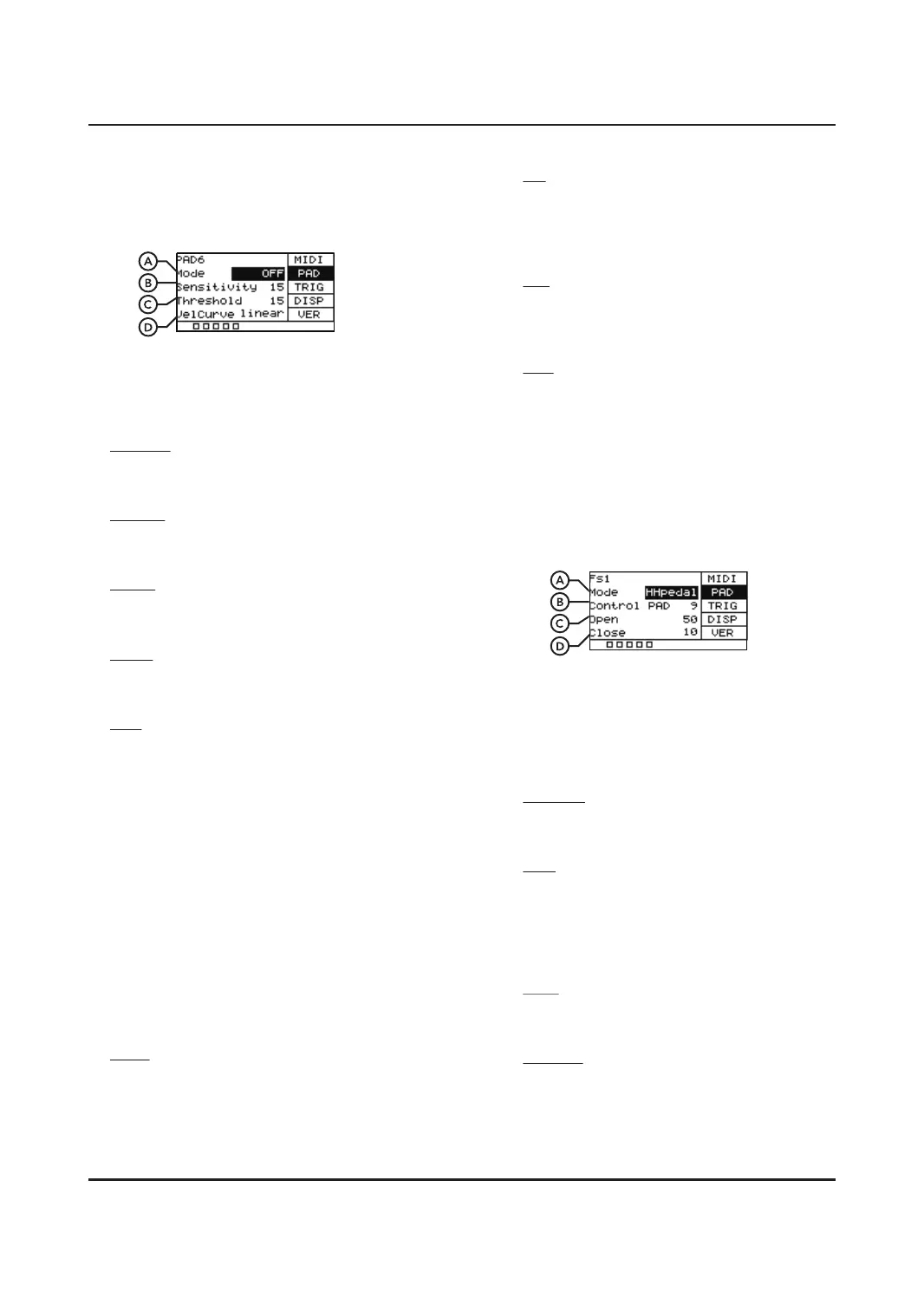
To control an additional footswitch, plug in
the footswitch and press it, this will allow you
to adjust its settings.
A. Mode
Allows you to change the behaviour of
footswitch. By default, FS1 will be in
HHPedal mode and FS2 will be in KICK
mode.
HHpedal
In this mode the footswitch will work like a
hi-hat pedal.
PAD
Used to control whether a pad plays
sample A or B. For example, when press
the footswitch down, it will play sample A,
when you let go of the footswitch it will
revert to sample B.
KICK
Footswitch will act as a kick drum. When
pressed it will play a sample.
KIT DEC
Operates as the [—] button of selecting a
drum kit. Can be used to change presets
via footswitch.


 To Next Page
 Loading...