12
NAME
DRM16208
DRM18107
DRM19106
BAS18103
BAS19107
CBL17110ST
DESCRIPTION
8” rubber drum pad
7.5” rubber drum pad
7.5” single trigger Mesh
drum
2.5” rubber kick drum
7.5” rubber kick drum
Single trigger cymbal
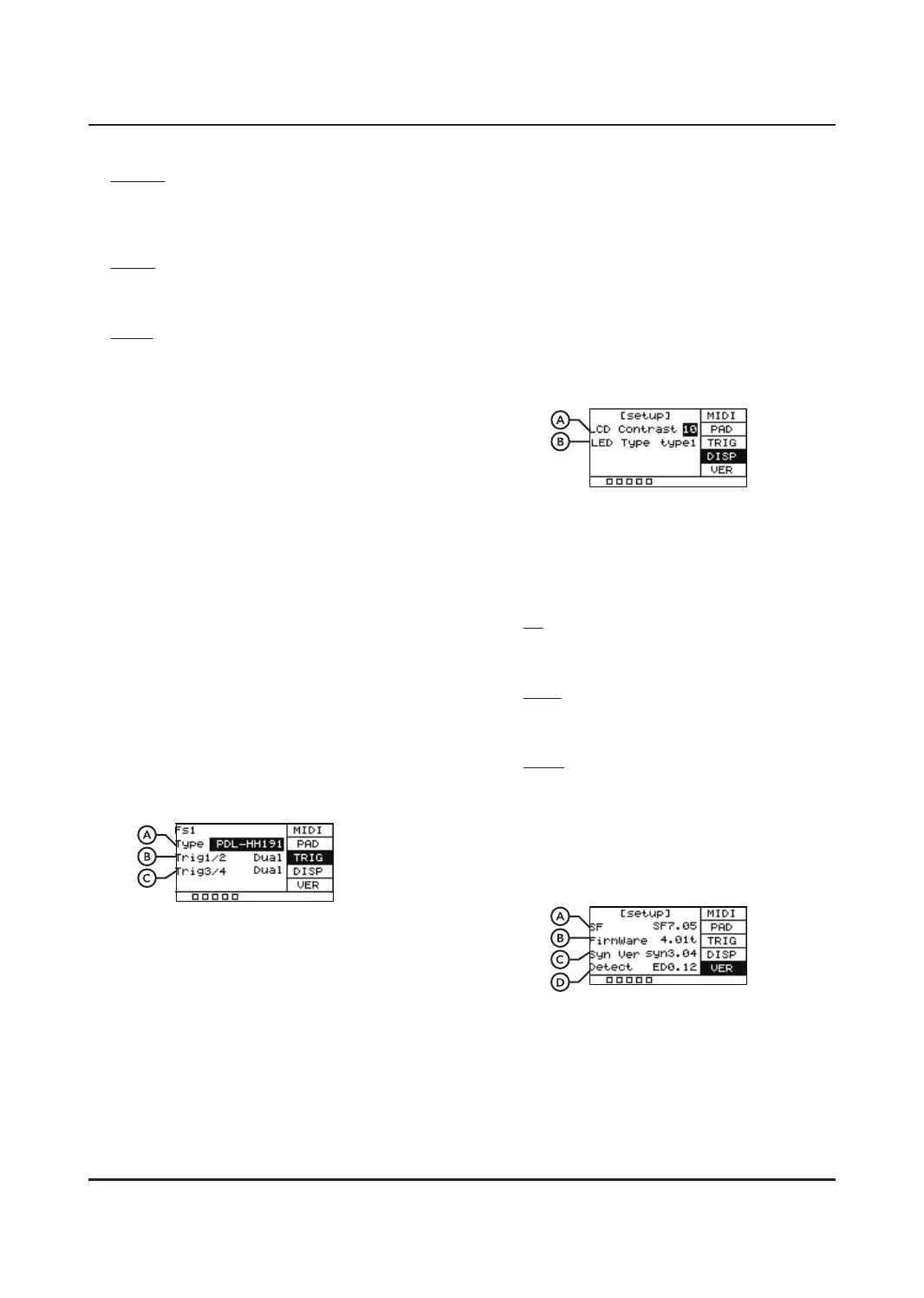
B. Trig1/2
Choose between single and dual trigger for
the external pad plugged into Trig 1/2.
C. Trig3/4
Choose between single and dual trigger for
the external pad plugged into Trig 3/4.
DISP
Allows you to set the LCD Contrast and
disable the LEDs.
A. LCD Contrast
Sets the contrast of the LCD screen. You
have the option of 0-20.
B. LED Type
o
Turns the LEDs which illuminate when you
hit a pad on or o.
type1
When playing, the LEDs illuminates for 0.5s
and then turns o.
type2
The LEDs go on and o while playing.
VERSION
Shows information relating to the software
inside the UNIT.
A. SF
Version of built-in sounds.
B. FirmWare
Displays which version of the firmware is
installed.
KIT INC
Operates as the [+] button of selecting a
drum kit. Can be used to change presets
via footswitch.
CLICK
In this mode the footswitch turns the
metronome o or on.
MUTE
In this mode pressing on the footswitch
will mute the sounds.
B. Control
Choose the pad 1-9 that the footswitch
controls in HH-Pedal or PAD mode.
C. Open
Adjust the opening position of the Hi-hat.
The smaller the value, the easier to open
the Hi-hat.
Value: 10-64
D. Close
Adjust the closing position of the Hi-hat.
The larger the value, the easier to close.
The value of the closed position is less
than or equal to the value of it open.
TRIG
When you connect an external trigger, you
can choose the trigger type. Single or dual
zone. Selecting the correct model and type
can make it much easier to get the trigger
dialed in.
A. Type
Scroll through the six options listed.
Choose the type that is closest to your
trigger pad.


 To Next Page
 Loading...