5
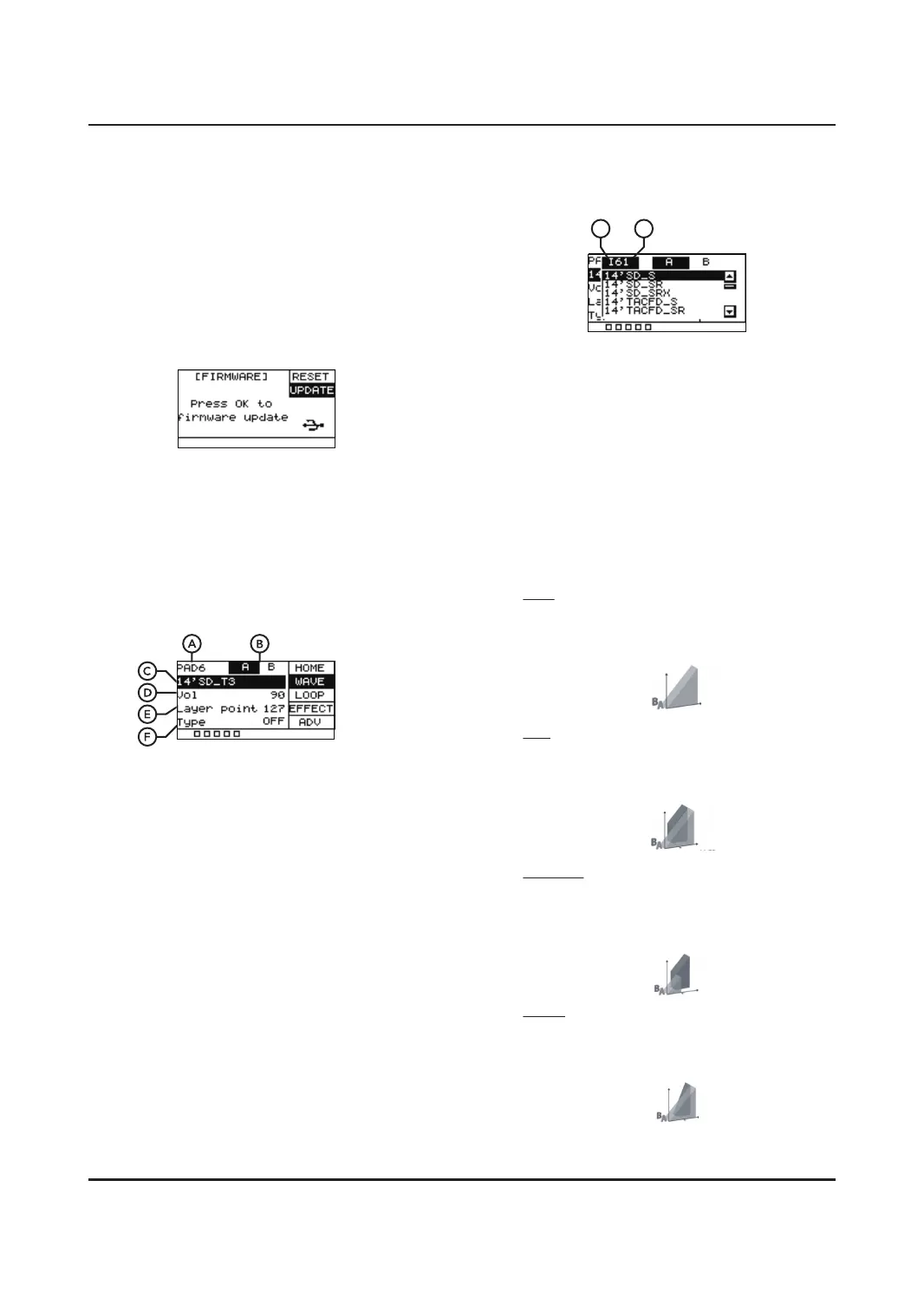
The preset sound starts with "I" and the
user sound starts with "U".
D. This is used to control the output volumes
of the sound.
E. When the pad is set to have both sample A
and sample B, any hit louder than this
setting (0-127) will play sample B. For
example, any hits below 50 it will play
sample A, any hits above play it will play
sample B.
F. Allows you to choose between OFF, MIX,
SWITCH and FADE.
OFF
Only play sample A, sample B will be
displayed as "/".
MIX
When the layer point threshold is met,
sample B will be blended in with sample A.
SWITCH
When the layer point threshold is met,
sample B will take the place of sample A.
FADE
When the layer point threshold is met,
sample B will play as well as sample A.
Sound Volume
Striking force
Sound Volume
Striking force
Sound Volume
Striking force
UPDATE
Used to update the UNIT firmware, which you
can do via a USB stick. In the event you need
to update firmware, you can download the
dpupdate.bin file or consult the seller, add this
to the root directory of your memory stick.
Then press [OK] when the update field is
highlighted. The firmware will be installed and
the UNIT will restart.
WAVE
Gives you the ability to adjust individual
samples within a preset. Hit a PAD to select it
and begin editing.
Press [SELECT] to scroll through the dierent
submenus and press [OK] to save.
A. Shows which pad is being edited.
B. Hitting the pad to select layer A or layer B
for editing. Please note when Type is OFF,
there will be no B-layer sound. Please adjust
the Type and Layer point before editing the
sounds of layer B.
C. Shows the sound name the pad is linked to.
(You can use the SCROLL WHEEL or [+]/[-]
buttons to change this to a dierent sound.
Press [OK] to confirm the change. ) Hitting
the pad to select layer A or layer B for
editing. Please note when Type is OFF,
there will be no B-layer sound.
I
U
Sound Volume
Striking force


 To Next Page
 Loading...