10CH TXT Essential Instructions v1.docx 2024-09-05 14
On the main screen of the transmitter, you can scroll through the available telemetry screens using the roller.
The transmitter can record the telemetry data on the SD card for later review, a potentially very valuable feature
in the event of problems. This is set up using the File Settings item on the Telemetry screen.
To recalibrate the receiver’s telemetry to specific voltage and/or current sensors, use screens 14 and/or 15 in
the Advanced Screens, and follow the Instructions in the document “Telemetry with the Lemon RX 7 and 10
Channel Receivers”: https://www.rcgroups.com/forums/showatt.php?attachmentid=17692169.
The procedure described there assumes use of buttons, but Text Display makes things easier.
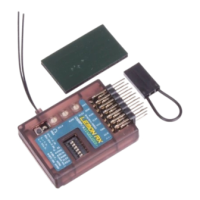
Factory Reset the Receiver
A reset will cancel all programming and other settings, leaving the receiver in simple, unstabilized status. The
transmitter is not required for this operation.
1. With the receiver ON, press and hold Button B and Button F simultaneously for about 6 seconds.
2. Release the buttons when all receiver LEDs flash.
3. Press Button C briefly. The receiver will flash for about 1 second, then reboot.
4. Reset complete. No lights showing.
Note that Reset does not clear an existing bind.
You can also reset the receiver using the transmitter and Text Display (see page 7).



 To Next Page