10CH TXT Essential Instructions v1.docx 2024-09-05 17
Appendix 4: Troubleshooting Text Display
Problem 1: The Text Display screen does not appear after the other telemetry screens
Your receiver may not support Text Display.
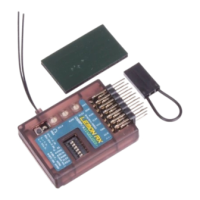
Text Display was announced in August 2024 and a new label was introduced to distinguish the receivers with this
capability; it has larger print and does not have fine print showing the receiver LEDs. See page 5.
However, certain production receivers had the new firmware before that. Thus, a telemetry receiver from this
period with the old label may or may not have Text Display capability. To find out whether you have one of
these, just try it out.
Binding with automatic telemetry recognition on a Spektrum transmitter may have failed.
If the Telemetry Autoconfigure does not find the Lemon screen, then try this:
1. On a DX or NX transmitter, with the receiver powered-up, from the main screen click the roller to get
“Function List” and scroll to “Telemetry.” On an iX radio, select “Telemetry” on the main screen.
2. Click on “Telemetry”, then scroll to an “Empty” item and select it. When it is flashing, scroll through the
options and select “TextGen”. Make sure it is “Act” (Active) not “Inh” (Inhibited). Go back to the main
screen and scroll to the right until you come to the “Lemon RX” telemetry page.
Problem 2: Setup Mode does not work
With some early versions of the Text Display firmware, basic text information may be displayed but Setup Mode
will not be available. In receivers with full Text Display capability, whether using a Spektrum or an EdgeTX
transmitter, the default model values will work in nearly all cases.
Don’t forget that Setup Mode is only available for about the first 60 seconds after power-up. So try restarting
the receiver. If that doesn’t enable Setup Mode in response to the “Show Config.” Option, then:
Your Lemon receiver may not support Setup Mode.
Lemon Gen2 Telemetry Receivers produced between April and August 2024 may or may not have Setup Mode,
even if they enable Test Display basic screens. Those produced after this do have Setup Mode, but retailers may
have had older stock.
Your transmitter may not support Setup Mode.
Spektrum Gen2 DX transmitters should have Airware 2.09 or higher for optimum TextGen performance. EdgeTX
transmitters should have at least v.2.8.3 firmware. B&W transmitters using EdgeTX require the DSM Telemetry
LUA file to be installed (see Appendix 1).
OpenTX and ERSkyTX do not support the necessary TextGen function at this time.
Stabilization is active.
Ensure stabilization set to OFF (red Status LED only).
Your channel outputs may not be correct.
Check that the channel monitor on your transmitter shows plus or minus 100% output on each of channels 1-4
with sticks fully deflected in the outside lower corners of the gimbals. Check the following:
• Dual Rates are active at less than 100%. This is the most common cause of problems.
• Servo Output (Travel) is not at 100%. Temporarily set all four channels to 100%.
• Throttle kill/lock may be forcing the throttle channel to a value other than -100%.
• You have a 3-channel model with no output on channel 2 or 4.
• You have a glider with no output on the motor channel.



 To Previous Page