10CH TXT Essential Instructions v1.docx 2024-09-05 8
Exiting from Setup Mode
Assuming you want to save your settings, use the aileron stick to go screen 6 (Exit and save settings), then use
the elevator stick to exit.
To exit without saving settings, go to screen 7 and use the Elevator stick to exit.
Step 5: Using Stabilization
The following assumes that you are using a Generation 2 or later Spektrum transmitter and that you have
already programmed the receiver with one of the stabilization options explained above.
It is usually most convenient to complete receiver programming (see Step 4, above) and items 1 to 3 below
before mounting the receiver in the plane.
1. Set up the transmitter
Set up a new model definition in the transmitter or reset an existing model. In particular, disable any delta wing
(elevon) or V-tail mixing in the transmitter – if these mixes are required when stabilization is active, they must
be done in the receiver. Make sure servo Travel (end points/limits) is set to 100%.
Set up a switch on channel 7 (or optionally on channel 5) to control Stabilization ON/OFF. Set up channel 8 (if
available on your transmitter) to be controlled by a knob or slider for Master Gain.
2. Bind the receiver
Bind the receiver to the transmitter, as explained above (Step 2 on page 2).
3. Test the receiver
Power up the transmitter then the receiver. The red Status LED should be ON.
Check that the Stabilization ON/OFF switch works correctly. The green Status light on the receiver will be OFF if channel 7 is
at 0% or 100%. If channel 7 is at -100%, It will be ON, indicating that stabilization is active.
Temporarily plug a servo into each of the Ail, Ele, and Rud outputs and check that they operate normally in
response to the correct transmitter sticks. Power OFF.
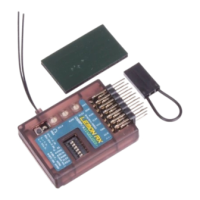
4. Mount the receiver in the plane
The receiver can be mounted upright or inverted and must be aligned with the direction of flight. The channel 1-
5 servo connectors can be at the front or rear.
The receiver will not work properly if mounted across the fuselage, on edge, tilted forward or backward, or at an
angle to the centre line. This receiver, unlike some other stabilizers, does not need to be mounted particularly
close to the centre of gravity of the model.
Ensure that the active portions of the two main antennas (the silver section about 31mm long) are well
separated from each other and from conductive items such as wiring, battery, and carbon fibre. They should be
approximately at right angles to each other. Take care not to kink the cables.
The receiver must be firmly mounted to the structure of the aircraft with the double-sided mounting tape
supplied or other vibration-absorbing material. It must not be able to wobble or come loose in flight. Hook-and-
loop material can be used, but only if care is taken to ensure that the firm mounting requirement is met.
Given the dual diversity antenna setup of the Lemon receiver, a satellite receiver is not normally required, but
can be used if desired for extra signal reliability. It should be well separated from the main receiver. Be sure you
can access the three gain pots on the receiver, as you will need to adjust them, perhaps repeatedly.
5. Connect servos and speed control (ESC), set switches and wing type
Important safety warning: Leave the motor unconnected or remove the propeller when programming or
testing an electric powered model. Electric models can bite!



 To Next Page