5
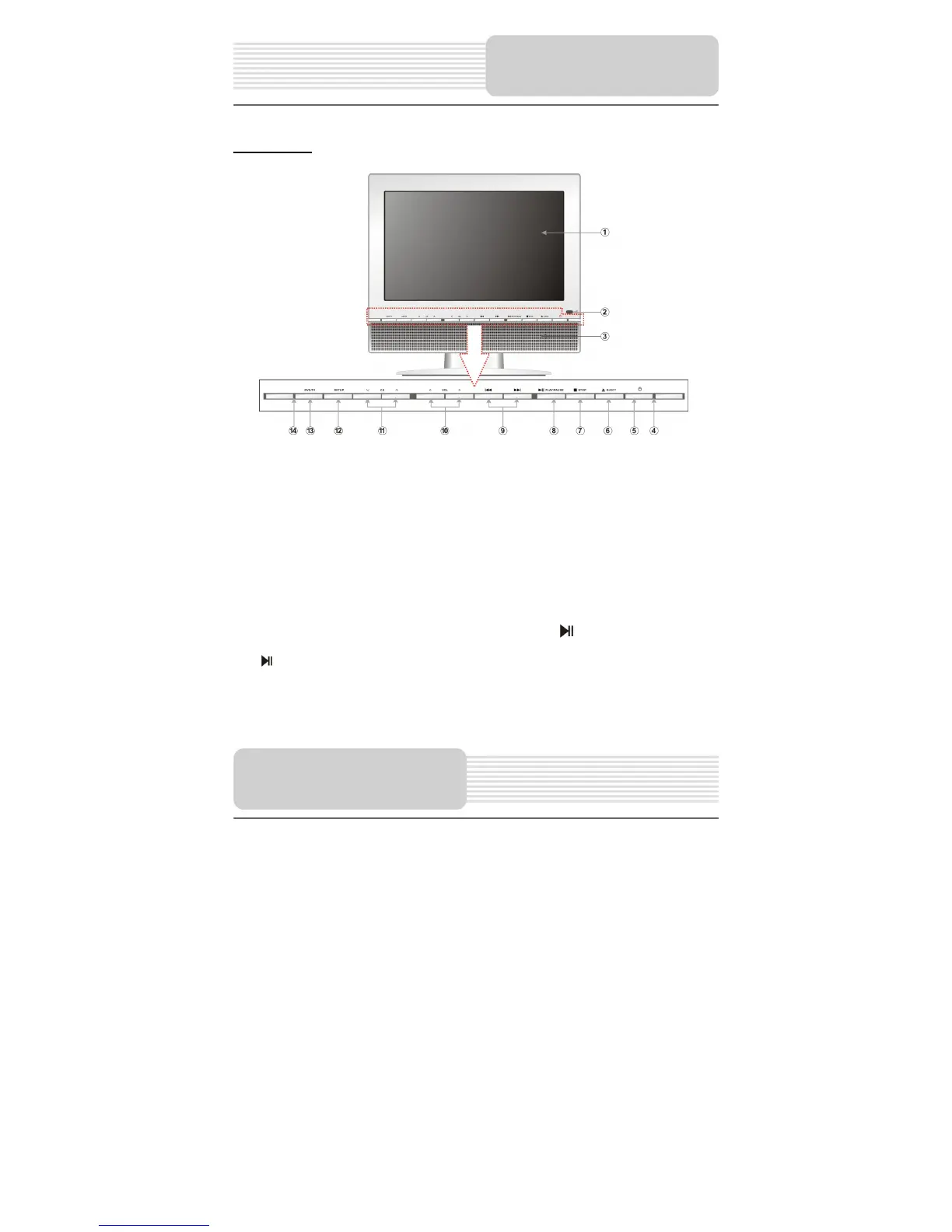
Front View
1. LCD screen
Present high resolution pictures.
2. Remote Sensor
3. Speakers
4. Power Indicator
5. Standby button
Press to enter or exit the standby mode.
6. EJECT button
Press to eject the disc in DVD mode.
7.
(Stop) button
In DVD mode, press to stop playback. Then press the button to resume playback
from the stopped spot. Press the button twice to stop playback completely.
8. (PLAY/PAUSE) button
In DVD or SD/MS/MMC mode, press once to pause the playback, and press it again
to resume the playback.
View of Main Unit
View of Main Unit



 To Next Page